AI Meeting Summarization: Your Complete Guide

Have you ever left a meeting only to realize you missed half the details? Or spent an hour typing notes when you should have been participating? AI Meeting Summarization is changing how we capture and retain information from our conversations. This technology automatically records, transcribes, and condenses meetings into clear, actionable summaries—so you can focus on the discussion instead of frantically taking notes.
Whether you’re managing a remote team, attending client calls, or coordinating projects across time zones, AI-powered meeting tools can save you hours each week. In this guide, I’ll walk you through exactly how to use AI meeting summarization effectively, from choosing the right tool to getting the most useful summaries possible.
What Is AI Meeting Summarization?
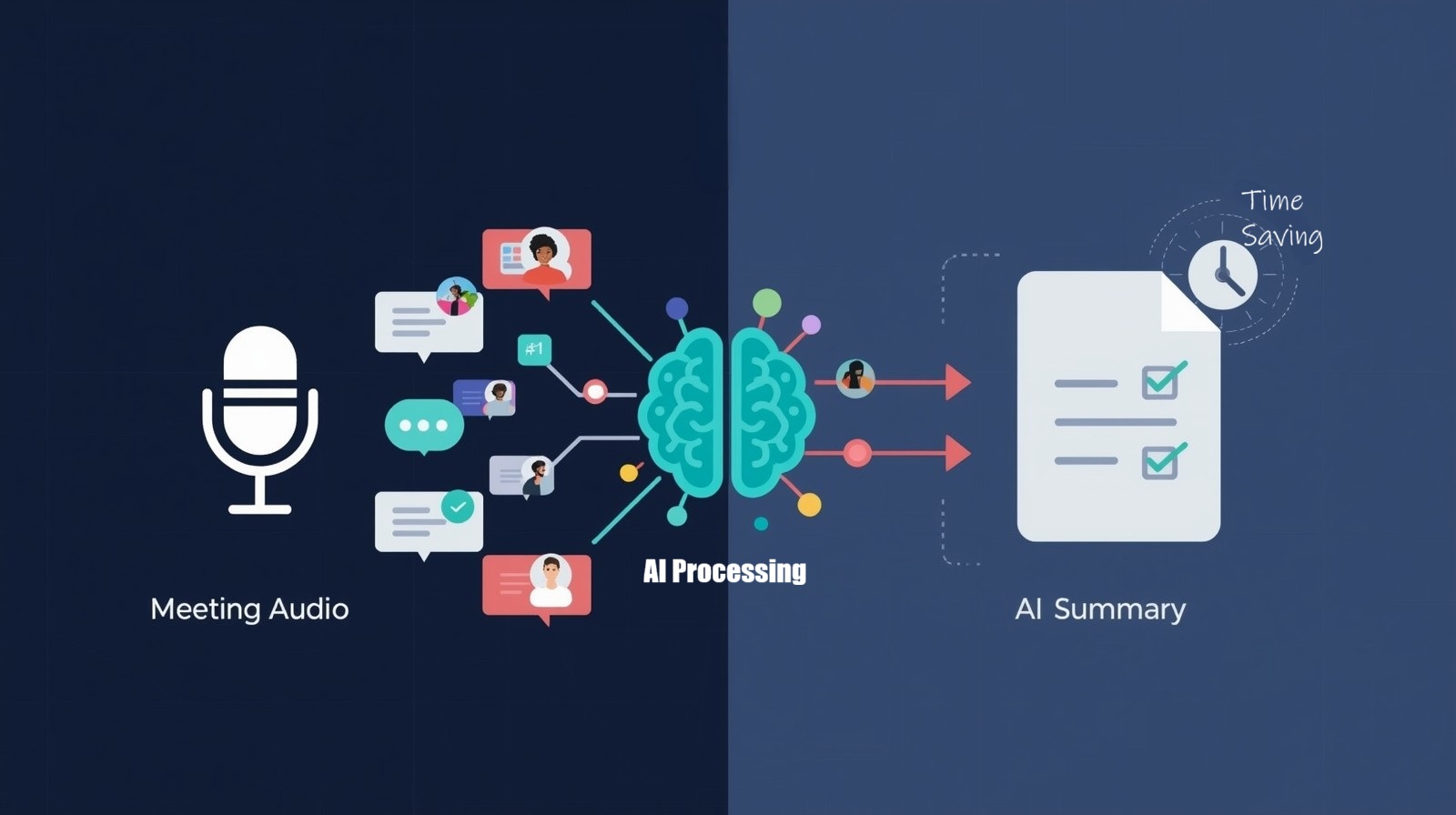
AI Meeting Summarization uses artificial intelligence to automatically record your meetings, transcribe the conversation, and generate a condensed summary highlighting key points, decisions, and action items. Instead of relying on manual note-taking, these tools listen to your meeting, identify what’s important, and create organized summaries you can reference later.
According to 2025 workplace productivity research, professionals spend an average of 18 hours per week in meetings, with approximately 3–4 hours spent on note-taking and follow-up documentation. AI meeting tools can reduce that documentation time by up to 75%, giving you back valuable hours for focused work.
How AI Meeting Summarization Works
Understanding the process helps you use these tools more effectively. Here’s what happens behind the scenes:
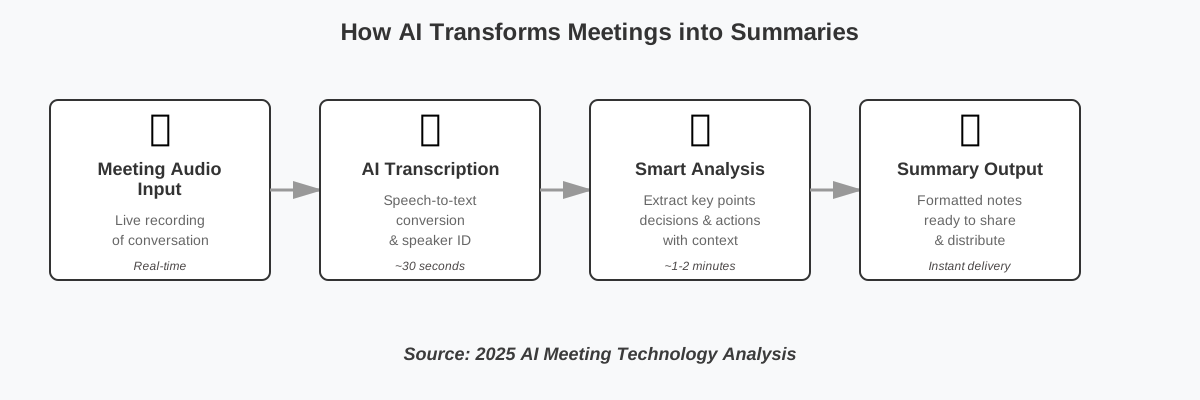
- Audio Capture: The tool records your meeting audio (with permission from participants)
- Speech-to-Text Conversion: Advanced speech recognition converts spoken words into written text
- Natural Language Processing: AI analyzes the transcript to identify speakers, topics, and context
- Smart Summarization: The system extracts key points, decisions, questions, and action items
- Output Generation: You receive a formatted summary with timestamps and highlights
The latest 2025 AI summarization models can now distinguish between different speakers, recognize industry-specific terminology, and even detect the emotional tone of conversations to better understand context. CalendHub’s 2025 research confirms that leading AI transcription tools now achieve accuracy rates of 95-98% for meetings, significantly reducing the need for post-transcription editing.
Step-by-Step Guide to Using AI Meeting Summarization
Step 1: Choose Your AI Meeting Tool
Start by selecting a tool that fits your needs and integrates with your existing workflow. Popular options in 2025 include:
- Otter.ai: Great for general business meetings with real-time transcription
- Fireflies.ai: Excellent for sales calls and CRM integration
- Fathom: Ideal for video meetings with automated highlights
- Microsoft Copilot: Perfect if you’re already using Teams
- Notion AI: Best for teams already using Notion for documentation
Most tools offer free trials, so I recommend testing 2-3 options with real meetings before committing.
Step 2: Set Up and Configure Your Tool
Once you’ve chosen your tool, proper setup ensures better results:
- Create your account and connect it to your calendar (Google Calendar, Outlook, etc.)
- Grant necessary permissions for microphone access and meeting integration
- Configure your preferences: Set your language, specify terminology (company names, product names), and choose summary formats
- Set up integrations with tools you use daily (Slack, project management apps, CRM systems)
- Adjust privacy settings to comply with your organization’s policies
Pro tip: Most tools allow you to create custom vocabulary lists. Adding your company’s specific terms, product names, and industry jargon dramatically improves transcription accuracy.
Step 3: Connect to Your Meeting Platform
AI meeting summarization tools integrate with popular video conferencing platforms:
- For Zoom: Install the tool as a participant or use native Zoom AI features
- For Microsoft Teams: Enable the AI assistant in your Teams settings
- For Google Meet: Add the extension or invite the AI bot to meetings
- For In-person meetings: Use your smartphone app to record audio
The tool will typically join your meeting as a participant (with a name like “Otter.ai Notetaker”). Some platforms now offer built-in AI features, eliminating the need for third-party bots.
Important: Always inform meeting participants that AI recording is active. Most tools announce themselves automatically, but it’s courteous to mention it at the start.
Step 4: Let the AI Work During the Meeting
During your meeting, you can actually participate instead of taking notes:
- Engage actively in the conversation—the AI handles the documentation
- Use verbal cues like “action item” or “decision” to help the AI identify decisive moments
- Add live notes in the tool’s interface if you want to emphasize something specific
- Mark key moments with timestamps for easy reference later
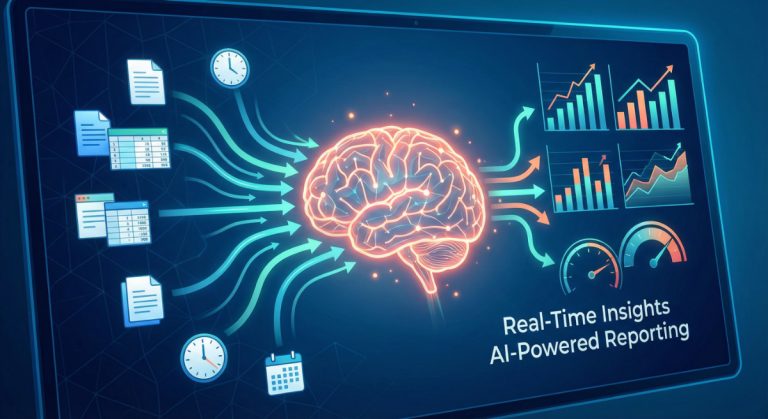
Current 2025 AI summarization technology can now detect when someone says phrases like “to summarize,” “the key point is,” or “we’ve decided,” automatically flagging those sections as important. The diagram below illustrates how this entire process flows from your meeting audio to the final summary you receive.
Step 5: Review and Edit Your Summary
After the meeting ends, you’ll typically receive your summary within 2-5 minutes:
- Verify the transcript for accuracy, especially with technical terms or names
- Review the AI-generated summary to ensure key points are captured
- Edit or add context where needed— AI is effective but not perfect
- Verify action items and assigned responsibilities
- Add tags or categories for easier searching later
Most tools allow you to highlight sections, add comments, and make corrections. These edits also help train the AI to perform better in future meetings.
Step 6: Share and Distribute
Once you’re satisfied with the summary, distribute it to relevant stakeholders:
- Share via email directly from the tool
- Post to your team channel (Slack, Teams, etc.)
- Export to your project management tool to create tasks from action items
- Save to your knowledge base for future reference
- Set up automated workflows to send summaries to specific people or systems
Automation tip: Create rules like “automatically share sales call summaries with the sales folder in Google Drive” or “send all project meeting summaries to the project Slack channel.”
Advanced Tips for Power Users
Once you’ve mastered the basics, these advanced strategies will help you extract even more value from AI meeting summarization:
Create Custom Prompt Templates
Many modern AI meeting tools allow you to customize how summaries are generated. Create templates for different meeting types:
For client meetings: “Summarize this meeting, focusing on client concerns raised, promised deliverables, agreed timelines, and next steps for our team.”
For brainstorming sessions: “Extract all ideas mentioned, group them by theme, and identify which ideas received the most positive discussion.”
For status updates: “List project progress by team member, flag any blockers mentioned, and highlight upcoming deadlines discussed.”
Build Automation Workflows
Connect your AI summarization tool with other platforms to create seamless workflows:
- Zapier/Make integrations: When a meeting ends, automatically create Asana tasks from action items, post summaries to specific Slack channels, or add client insights to your CRM.
- Email automation: Set up rules to email summaries to stakeholders who couldn’t attend, with relevant sections highlighted.
- Calendar blocks: Some tools can analyze your meeting patterns and suggest protected focus time based on when you have the most meetings.
Evaluate Summary Quality
Not all AI summaries are created equal. Develop a quality checklist:
- Accuracy test: Do technical terms and proper nouns appear correctly?
- Completeness check: Are all major discussion points represented?
- Action item clarity: Is it clear who owns each task and by when?
- Context preservation: Does the summary capture not just what was said, but why it matters?
Track these metrics over time to identify which tools or settings work best for your specific needs. TechTarget’s 2025 research shows that 45.8% of companies now use AI virtual assistants, with adoption expected to reach 65.7% of employees by end of 2025—making quality evaluation increasingly important.
Leverage Historical Search
Your growing library of meeting summaries becomes more valuable over time:
- Semantic search: Use natural language queries like “What did we decide about pricing last quarter?” rather than keyword searches.
- Trend analysis: Review summaries over time to spot recurring issues, track project evolution, or prepare for performance reviews.
- Onboarding resource: New team members can search past meetings to understand context and decision-making history.
Common Mistakes to Avoid
As someone who’s used these tools extensively, here are pitfalls to watch out for:
Mistake 1: Not informing participants; always get consent for recording. It’s not just polite; it’s legally required in many places.
Mistake 2: Relying 100% on AI – Review summaries before sharing. AI can miss context or misinterpret technical discussions.
Mistake 3: Ignoring audio quality – Poor audio leads to poor transcripts. Use a suitable microphone and minimize background noise.
Mistake 4: Forgetting to customize – Take time to add custom vocabulary and configure settings for your specific needs.
Mistake 5: Not organizing summaries – Create a system for tagging and categorizing meetings from the start. You’ll thank yourself later when searching for specific information.
Frequently Asked Questions
Take Control of Your Meetings Today
AI Meeting Summarization isn’t just about saving time—it’s about being more present in conversations, ensuring nothing important slips through the cracks, and creating a searchable knowledge base of your team’s decisions and discussions. The technology has matured significantly in 2025, making it more accessible and accurate than ever before.
Start small: try one of the free plans with your next few meetings. Pay attention to the time you save and the details you capture that you might have otherwise missed. Most people find that within a week, these tools become indispensable.
Remember, the goal isn’t to replace human attention and judgment—it’s to augment it. Use AI-powered meeting tools to handle the documentation so you can focus on what really matters: meaningful conversation, creative problem-solving, and building relationships with your team and clients.
The best time to start was yesterday. The second-best time is your next meeting. Give it a try, and see how much easier your workday becomes when you’re not drowning in meeting notes.
References:
– Market.us (2025). “AI Meeting Assistant Market Size, Share | CAGR at 34%.” Market.us Research Report. Retrieved from https://market.us/report/ai-meeting-assistant-market/
– CalendHub (2025). “AI Meeting Notes – Reclaim 10 Hours Weekly in 2025.” CalendHub Blog. Retrieved from https://calendhub.com/blog/ai-meeting-notes-productivity-guide-2025
– TechTarget (2025). “8 AI meeting assistants to consider in 2025.” TechTarget SearchUnifiedCommunications. Retrieved from https://www.techtarget.com/searchunifiedcommunications/tip/AI-meeting-assistants-to-consider
– Zapier (2025). “The 9 best AI meeting assistants in 2025.” Zapier Blog. Retrieved from https://zapier.com/blog/best-ai-meeting-assistant/
– Fellow.app (2025). “15 Best AI Meeting Summary Tools in 2025.” Fellow Blog. Retrieved from https://fellow.app/blog/productivity/ai-meeting-summary-tools/
– ArchieApp (2025). “Work Meetings in Numbers: Latest Meeting Statistics [2025].” Archie Blog. Retrieved from https://archieapp.co/blog/meeting-statistics/
– My Hours (2025). “30+ Meeting Statistics for 2025: Are They Wasting Our Time?” My Hours Articles. Retrieved from https://myhours.com/articles/meeting-statistics-2025
– Flowtrace (2025). “65 Surprising Meeting Statistics for 2025.” Flowtrace Collaboration Blog. Retrieved from https://www.flowtrace.co/collaboration-blog/50-meeting-statistics
– Superhuman (2025). “15 jaw-dropping meeting productivity statistics.” Superhuman Blog. Retrieved from https://blog.superhuman.com/meeting-productivity-statistics/
– AssemblyAI (2025). “How to use AI to automatically summarize meeting transcripts.” AssemblyAI Blog. Retrieved from https://www.assemblyai.com/blog/how-use-ai-automatically-summarize-meeting-transcripts
– Research and Markets (2025). “Artificial Intelligence (AI)-Powered Meeting Assistants Global Market Report 2025.” Research and Markets. Retrieved from https://www.researchandmarkets.com/reports/6103478/
– Schneier on Security (2025). “AI Summarization Optimization.” Schneier on Security Blog. Retrieved from https://www.schneier.com/blog/archives/2025/11/ai-summarization-optimization.html
About the Author
Abir Benali is a friendly technology writer who specializes in making AI tools accessible to non-technical users. With a background in communication and digital productivity, Abir has helped thousands of professionals streamline their workflows using practical AI solutions. When not writing guides, you can find Abir testing the latest productivity tools and sharing honest, easy-to-follow insights at howAIdo.com.