Cybersecurity for AI: 7 Practices to Protect Systems

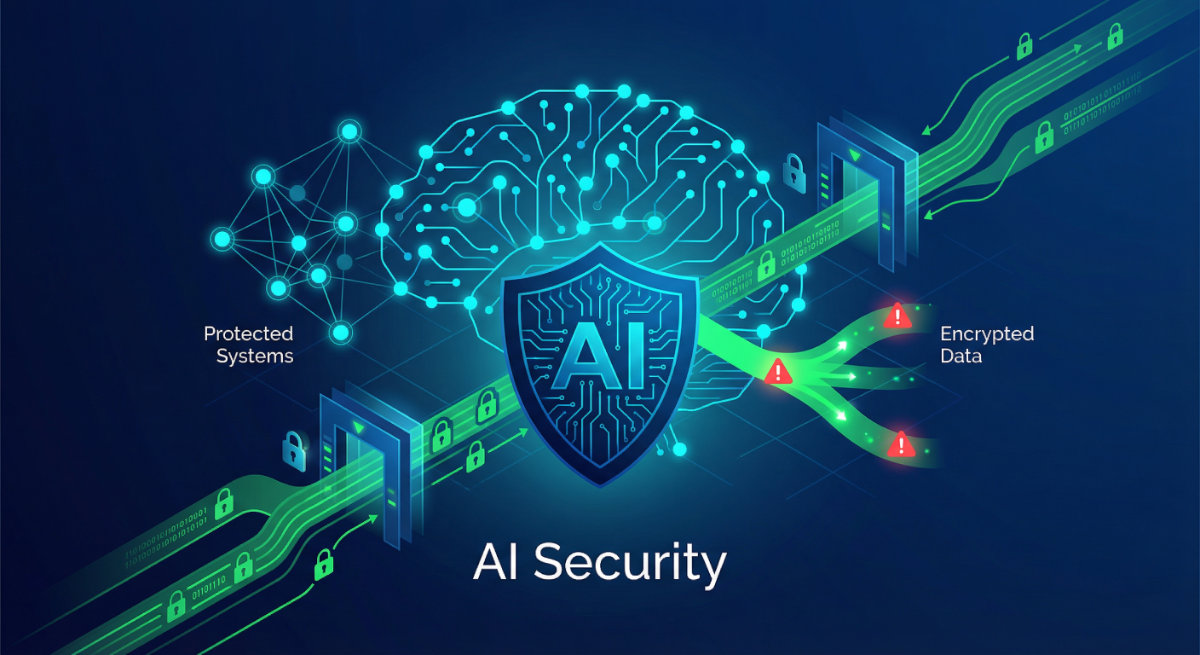
Cybersecurity for AI isn’t just a buzzword—it’s your first line of defense in an era where artificial intelligence handles everything from customer data to financial decisions. Here’s what you need to know right now: AI systems face unique vulnerabilities that traditional security measures weren’t designed to handle, and 78% of Chief Information Security Officers now say AI-powered threats are having a significant impact on their organizations. The good news? You don’t need a cybersecurity degree to protect your AI systems effectively.
Think about it: every time your AI tool processes information, analyzes patterns, or makes predictions, it’s creating potential entry points for security threats. According to IBM’s “Cost of a Data Breach Report 2025,” the global average cost of a data breach dropped to $4.44 million this year—the first decline in five years—largely due to faster identification and containment driven by AI-powered defenses.
Yet this progress comes with a caveat. While organizations are detecting breaches faster, those lacking proper AI governance face significant additional costs. Shadow AI—unauthorized AI tools used without oversight—adds an extra $670,000 to breach costs on average, and a staggering 97% of AI-related breaches occurred in organizations lacking proper access controls.
Whether you’re using AI for content creation, customer service, data analysis, or automation, these seven practical strategies will help you work confidently without worrying about breaches, data leaks, or system compromises. Let’s get your AI systems locked down tight.
Why Cybersecurity for AI Systems Matters More Than Ever
AI systems process vast amounts of sensitive information—customer data, business intelligence, personal communications, and proprietary insights. Unlike traditional software, AI tools learn from data, which means they’re constantly evolving and potentially exposed to new attack vectors.
Recent threats aimed at AI systems include data poisoning (where attackers damage training data), model theft (stealing valuable AI models), and prompt injection attacks (changing AI results by using specially designed inputs). According to Darktrace’s “State of AI Cybersecurity Report 2025,” which surveyed over 1,500 cybersecurity professionals globally, 78% of CISOs now admit AI-powered cyber threats are having a significant impact on their organizations—up 5% from 2024.
Source: https://www.darktrace.com/the-state-of-ai-cybersecurity-2025
The reality? Securing AI systems isn’t optional anymore—it’s essential for protecting your business, your customers, and your competitive advantage. But here’s the encouraging part: organizations that extensively use AI and automation in their security operations save an average of $1.9 million per breach compared to those that don’t, according to IBM’s 2025 report.
7 Practical Cybersecurity Practices to Protect Your AI Systems
1. Implement Multi-Layer Authentication for AI Access
Multi-factor authentication (MFA) isn’t just for your email anymore—it’s critical for any AI platform you use. This means requiring two or more verification methods before anyone (including you) can access your AI tools.
How to do it:
- Enable MFA on every AI platform you use (ChatGPT, Claude, Gemini, Midjourney, etc.)
- Use authentication apps like Google Authenticator or Authy instead of SMS codes (they’re more secure)
- Set up biometric authentication (fingerprint or face recognition) when available
- Create unique, strong passwords for each AI service—use a password manager like Bitwarden or 1Password
- Review access permissions regularly and remove users who no longer need access
Time-saving tip: Set up your password manager to auto-generate and store complex passwords. You’ll never have to remember them, and you’ll dramatically reduce your risk of credential theft.
Common mistake to avoid: Using the same password across multiple AI platforms. If one gets compromised, attackers will try that password everywhere. Keep them unique.
2. Control and Monitor Data Inputs to Your AI Systems
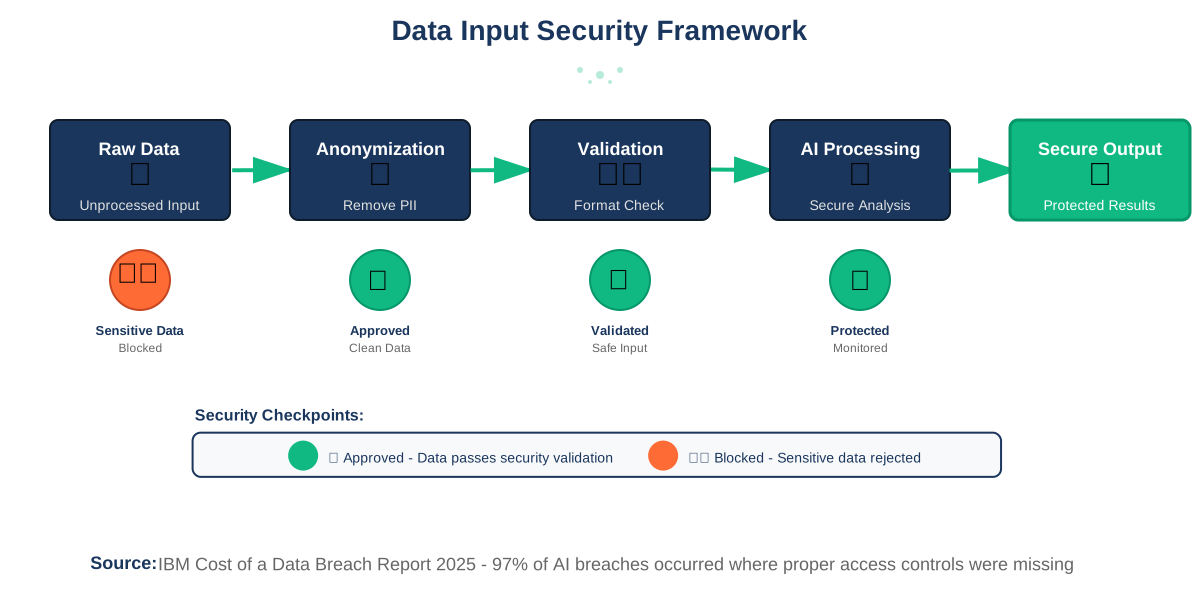
Every piece of information you feed into an AI system becomes part of its knowledge base—at least temporarily. This makes input validation crucial for maintaining security.
How to do it:
- Never input sensitive personal information (Social Security numbers, credit card details, passwords) directly into AI chat interfaces
- Anonymize data before using it in AI tools—replace names with placeholders, redact identifying details
- Use separate, dedicated accounts for work-related AI tasks versus personal use
- Review your AI platform’s data retention policies and opt out of training data usage when possible
- Set up regular audits of what data has been shared with AI systems
Time-saving tip: Create templates with pre-anonymized sample data for common AI tasks. Instead of starting from scratch each time, you’ll have secure examples ready to modify.
IBM’s 2025 report found that 63% of breached organizations lacked AI governance policies to manage AI or prevent shadow AI. Most troubling, among organizations experiencing AI-related breaches, 97% lacked proper access controls—and customer personally identifiable information was compromised in 53% of these cases. When shadow AI was involved, that figure jumped to 65%.
Why this matters: AI systems can inadvertently memorize and later expose sensitive information through their responses. By controlling inputs, you prevent potential leaks before they happen.
3. Regularly Update and Patch Your AI Tools
Software vulnerabilities in AI platforms get discovered constantly, and developers release patches to fix them. Staying current with updates is one of the simplest yet most effective security measures.
How to do it:
- Enable automatic updates for AI applications whenever possible
- Subscribe to security bulletins from your AI tool providers
- Check for updates weekly if automatic updates aren’t available
- Keep your operating system, browser, and security software current—they’re part of your AI security ecosystem
- Document which version of each AI tool you’re using and track update schedules
Time-saving tip: Set a recurring calendar reminder every Monday morning to check for updates across all your AI platforms. Make it a 10-minute weekly routine instead of a sporadic task you forget.
Common mistake to avoid: Ignoring update notifications because you’re “too busy.” Those delays create windows of vulnerability that attackers actively exploit.
4. Implement Access Controls and Principle of Least Privilege
Not everyone needs full access to your AI systems. The principle of least privilege means giving users only the minimum access they need to do their jobs—nothing more.
How to do it:
- Create user roles with different permission levels (admin, editor, viewer)
- Assign access based on actual job requirements, not job titles
- Use team workspaces or enterprise accounts that allow granular permission settings
- Implement time-limited access for temporary users or contractors
- Review and revoke unnecessary permissions quarterly
- Enable activity logging to track who accesses what and when
Time-saving tip: When onboarding new team members, use access templates based on their role instead of configuring permissions from scratch each time. This ensures consistency and saves hours.
In May 2025, CISA, the National Security Agency, the FBI, and international partners jointly released a cybersecurity information sheet titled “AI Data Security: Best Practices for Securing Data Used to Train & Operate AI Systems.” This guidance emphasizes the critical role of data security in ensuring the accuracy, integrity, and trustworthiness of AI outcomes throughout all phases of the AI lifecycle.
Why this matters: If an attacker compromises one account, limited privileges contain the damage. They can’t access everything—just what that specific user was authorized to see.
5. Monitor AI System Activity and Set Up Alerts
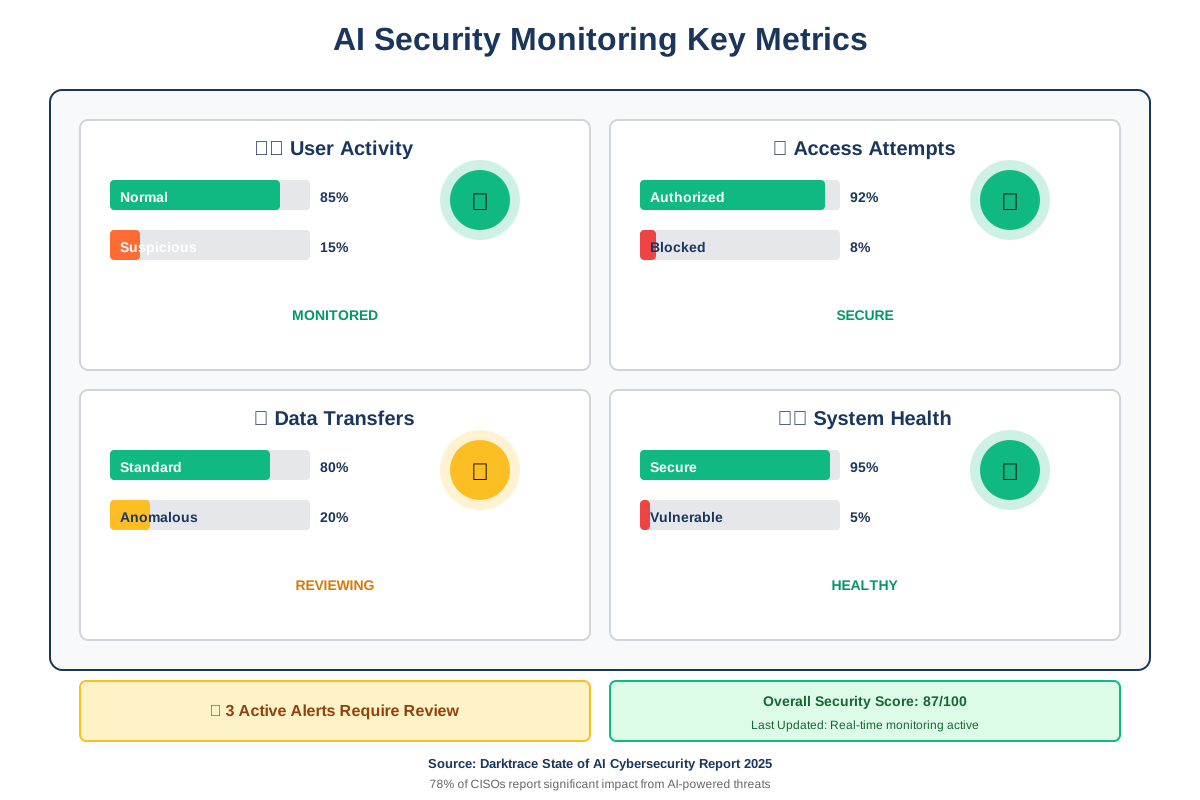
You can’t protect what you can’t see. Activity monitoring gives you visibility into how your AI systems are being used and alerts you to suspicious behavior.
How to do it:
- Enable logging features in your AI platforms to track all usage
- Set up alerts for unusual activity patterns (logins from new locations, bulk data downloads, after-hours access)
- Review activity logs weekly for anomalies
- Use security information and event management (SIEM) tools if you’re managing multiple AI systems
- Document baseline normal activity so you can recognize deviations
Time-saving tip: Configure alerts to go to a dedicated security email or Slack channel instead of your main inbox. This keeps security monitoring organized without overwhelming your primary communications.
Common mistake to avoid: Setting up monitoring but never actually reviewing the data. Make log reviews part of your weekly routine, even if it’s just a quick 15-minute scan.
6. Train Your Team on AI Security Best Practices
Technology alone won’t protect you—human awareness is your strongest security asset. Your team needs to understand AI-specific threats and how to avoid them.
How to do it:
- Conduct monthly security training sessions focused on AI-specific threats (prompt injection, data leakage, model manipulation)
- Create simple, visual guides showing do’s and don’ts for AI usage
- Run simulated phishing exercises using AI-generated content to test awareness
- Establish clear reporting procedures for security incidents
- Share real-world examples of AI security breaches (anonymized) to make threats tangible
- Make security training engaging, not boring—use interactive scenarios and quizzes
Time-saving tip: Record your first training session and turn it into an onboarding video for new team members. Update it quarterly with new threats, but you’ll save hours not repeating the same presentation.
Common mistake to avoid: Making security training a one-time event. Threats evolve constantly, and so should your team’s knowledge. Regular reinforcement keeps security awareness top of mind.
According to Darktrace’s 2025 report, despite respondents citing insufficient personnel to manage tools and alerts as the greatest inhibitor to defending against AI-powered threats, only 11% reported they plan to increase cybersecurity staff in 2025. However, 64% plan to add AI-powered solutions to their security stack in the next year, and 88% report that the use of AI is critical to free up time for security teams to become more proactive.
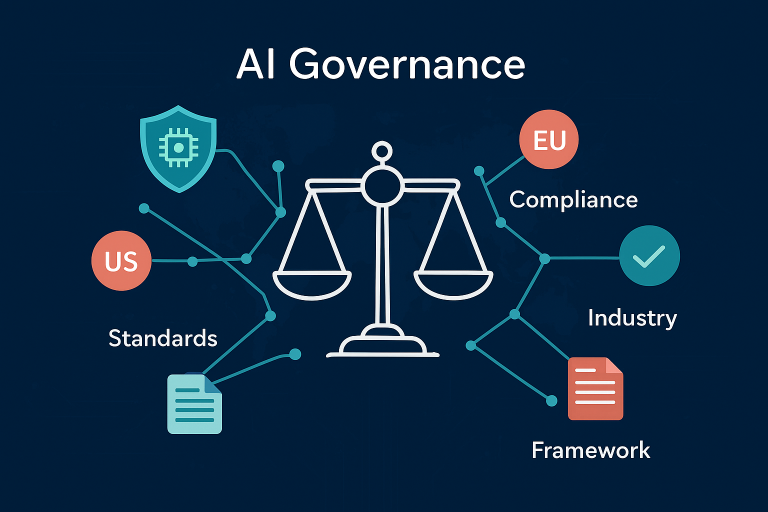
7. Establish AI Governance Policies to Prevent Shadow AI
Shadow AI—unauthorized AI tools that employees use without IT approval or oversight—represents one of the biggest security risks organizations face today. IBM’s 2025 report found that shadow AI breaches cost organizations an extra $670,000 on average.
How to do it:
- Create and document clear policies for approved AI tool usage
- Establish an approval process for new AI tools before deployment
- Conduct regular audits to identify unsanctioned AI usage
- Implement technical controls to detect when employees upload data to unauthorized AI platforms
- Provide approved AI alternatives that meet employee needs
- Educate staff on why shadow AI poses risks
Time-saving tip: Rather than creating governance policies from scratch, adapt existing frameworks like NIST’s Artificial Intelligence Risk Management Framework, which breaks down AI security into four primary functions: govern, map, measure, and manage.
Common mistake to avoid: Creating governance policies so restrictive that employees feel forced to use shadow AI to get work done. Balance security with usability by providing sanctioned tools that actually meet business needs.
IBM’s research revealed that 63% of breached organizations lacked AI governance policies, and among those with policies in place, only 34% perform regular audits for unsanctioned AI. Organizations with high levels of shadow AI usage paid an additional $670,000 in breach costs compared to the $3.96 million average.
Why this matters: You can’t secure what you don’t know exists. Visibility into all AI usage across your organization is the foundation of effective AI security.
Frequently Asked Questions About AI Cybersecurity
Take Action Today: Your AI Security Checklist
You now have seven powerful practices to secure your AI systems. The key is starting now—not waiting until after a security incident forces your hand.
Here’s your immediate action plan:
- Enable MFA on all AI platforms today (takes 15 minutes)
- Review and document what data you’re currently sharing with AI tools (takes 30 minutes)
- Check for pending updates across all AI applications (takes 10 minutes)
- Schedule your first weekly security review in your calendar (takes 2 minutes)
Cybersecurity for AI doesn’t have to be overwhelming. Start with these fundamentals, build them into your routine, and expand your security measures as you grow more comfortable. The peace of mind knowing your systems are protected is worth every minute invested.
Remember: every security measure you implement today prevents potential disasters tomorrow. Your AI systems are powerful tools—make sure they’re protected like the valuable assets they are. The cost of inaction is real: organizations without proper AI governance pay an average of $670,000 more per breach, while those embracing AI-powered security save $1.9 million compared to their peers.
References
- IBM Security. “Cost of a Data Breach Report 2025.” https://www.ibm.com/reports/data-breach
- Darktrace. “State of AI Cybersecurity Report 2025.” https://www.darktrace.com/the-state-of-ai-cybersecurity-2025
- CISA. “AI Data Security: Best Practices for Securing Data Used to Train & Operate AI Systems.” May 22, 2025. https://www.cisa.gov/news-events/alerts/2025/05/22/new-best-practices-guide-securing-ai-data-released
About the Author
James Carter is a productivity coach who specializes in helping individuals and businesses leverage AI efficiently while maintaining robust security practices. With over a decade of experience in technology consulting and workflow optimization, James believes that effective AI security doesn’t require technical expertise—just smart habits and consistent practices. His practical, no-nonsense approach has helped hundreds of organizations implement AI securely without disrupting their daily operations. When he’s not coaching or writing, James explores how emerging AI technologies can simplify work while respecting privacy and security principles.