8 Free Interactive Business Checklists to Boost Your Productivity

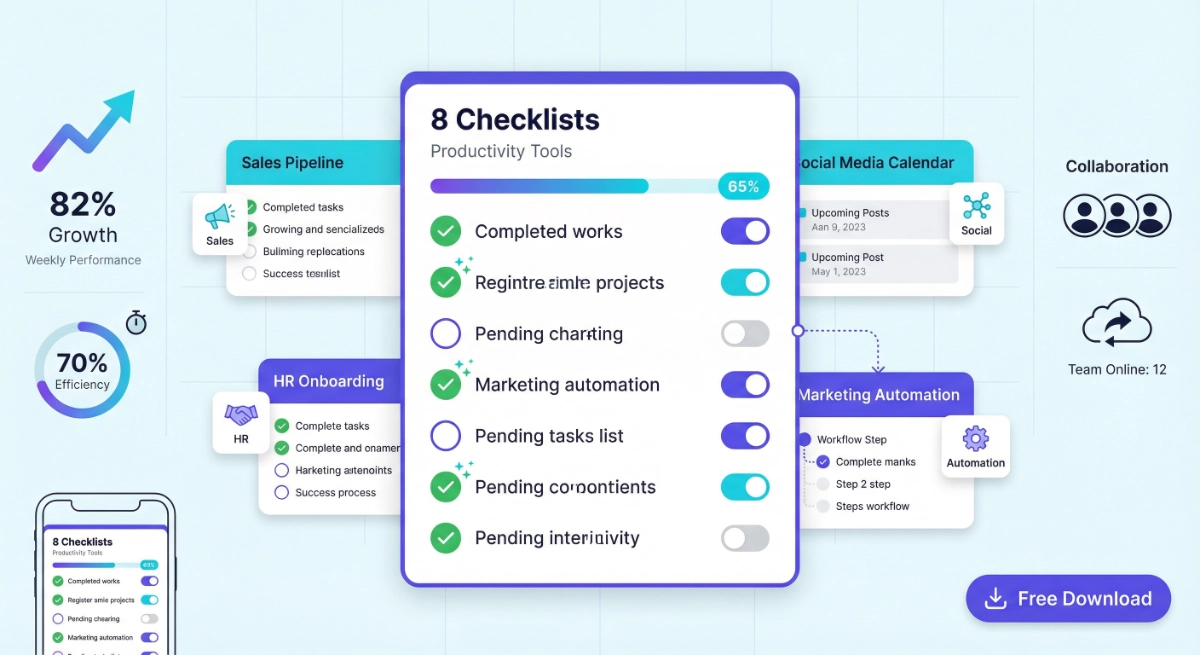
Running a business means juggling countless tasks, deadlines, and processes simultaneously. Whether you’re managing a team, launching a product, or automating workflows, interactive business checklists can transform chaos into clarity. These digital tools don’t just list what needs to be done—they track your progress, save your data locally, and adapt to your workflow.
We’ve created 8 free, interactive HTML checklists specifically designed for modern businesses. Each checklist works offline, saves your progress automatically, and requires no sign-up or subscription. From automating customer orders to planning social media content, these tools cover the most critical business processes you’ll encounter.
Let’s explore how each checklist can streamline your operations and boost your team’s productivity.
Key Features
✅ iOS-style toggle switches for intuitive task completion
✅ Progress tracking shows exactly where you are in the implementation
✅ Cookie-based saving preserves your progress for 365 days
✅ All data stored locally—complete privacy guaranteed
✅ Share with team members via WhatsApp, email, or social media
1. Automating Customer Order Process Checklist
What It Is
A comprehensive 25-task roadmap that guides you through every phase of implementing automation for your customer order processing system. This checklist covers planning, requirements gathering, design, testing, deployment, and ongoing monitoring.
Perfect For
- E-commerce businesses drowning in manual order processing
- Operations managers seeking to reduce fulfillment errors
- IT teams implementing automation solutions
- Business owners wanting to scale without hiring more staff
What You’ll Track
The checklist breaks down the automation journey into 6 manageable phases:
- Planning & Analysis (5 tasks): Define scope, identify stakeholders, analyze current processes
- Requirements Gathering (5 tasks): Document functional and non-functional needs
- Design & Prototyping (5 tasks): Create system design and user-friendly interfaces
- Implementation & Testing (5 tasks): Build, test, and validate your automated system
- Deployment & Maintenance (5 tasks): Launch the system and train your team
Real-World Impact
Companies that automate their order processing typically see a 40-60% reduction in processing time and 70% fewer order errors. This checklist ensures you don’t skip critical steps that could derail your automation project.
2. Employee Onboarding Protocol Checklist
What It Is
A structured 20-task checklist that ensures every new employee receives a consistent, thorough onboarding experience. Covers everything from pre-arrival preparations to 30-day follow-ups.
Perfect For
- HR managers onboarding multiple employees
- Small business owners without formal HR departments
- Team leads responsible for integrating new hires
- Remote companies needing standardized virtual onboarding
What You’ll Track
The checklist organizes onboarding into four strategic phases:
- Pre-Onboarding Preparations (5 tasks): Job descriptions, accounts setup, equipment coordination
- First Day Onboarding (5 tasks): Welcome, office tour, policy review, equipment setup
- Onboarding Checklist (5 tasks): Paperwork, handbook review, benefits, training, follow-ups
- Onboarding Evaluation (5 tasks): Surveys, process evaluation, metrics tracking, continuous improvement
Real-World Impact
Structured onboarding increases employee retention by 82% and improves productivity by 70%. This checklist ensures nothing falls through the cracks during those critical first weeks.
Beginner Tips
- Start preparing the checklist 2 weeks before the employee’s start date
- Assign a mentor or buddy (included as a checklist task)
- Schedule regular check-ins at day 1, week 1, and month 1
- Customize the checklist for different roles by adding notes
3. Instagram Content Strategy Checklist for Coffee Shops
What It Is
A 25-task strategy framework specifically designed for small businesses (like husband-and-wife coffee shops) building their Instagram presence. Covers audience definition, content planning, posting, and optimization.
Perfect For
- Coffee shop owners managing their own social media
- Small restaurant owners wanting to grow their local following
- Food & beverage entrepreneurs on limited marketing budgets
- Social media beginners in the hospitality industry
What You’ll Track
The checklist guides you through Instagram success in four phases:
- Define Target Audience (5 tasks): Identify demographics, research interests, create buyer personas
- Plan Content Theme (5 tasks): Choose themes, develop content calendar, plan visuals and livestreams
- Create Engaging Posts (5 tasks): Write captions, design visuals, add hashtags, include CTAs
- Schedule & Publish (5 tasks): Use scheduling tools, publish at optimal times, engage with followers
- Review & Optimize (5 tasks): Analyze performance, adjust strategy, plan future content
Real-World Impact
Small businesses using structured Instagram strategies see 3x higher engagement rates and 2.5x more in-store traffic from local followers. Consistency is key—this checklist keeps you on track.
Beginner Tips
- Post 3-5 times per week minimum for optimal reach
- Use location tags to attract local customers
- Engage with followers within 1 hour of posting
- Save high-performing content as templates for future posts
4. TikTok Content Calendar for Fitness Studios
What It Is
A 20-task content planning checklist designed for small fitness studios creating engaging TikTok content. Balances content creation with audience engagement and performance tracking.
Perfect For
- Fitness studio owners managing their own marketing
- Personal trainers building their online presence
- Yoga instructors wanting to attract new students
- Gym managers expanding their social media reach
What You’ll Track
The checklist organizes your TikTok strategy into 4 focused areas:
- Define Content Objectives (5 tasks): Target audience, content goals, KPIs, trending topics, brand voice
- Plan Content Types (5 tasks): Video formats, livestreams, graphics, blog-style content, user-generated content
- Organize Content Calendar (5 tasks): Choose template, schedule daily content, allow flexibility, set reminders
- Engage with Audience (5 tasks): Respond to comments, use hashtags, host Q&As, run contests, collaborate with influencers
Real-World Impact
Fitness businesses using TikTok strategically report a 40% increase in class bookings and 60% growth in follower count within 3 months. This checklist ensures you’re creating content that converts.
Beginner Tips
- Post 1-2 videos daily during peak hours (6-9 AM, 12-3 PM, 7-10 PM)
- Use trending sounds to increase discoverability
- Keep videos under 30 seconds for maximum engagement
- Show real workouts and client transformations—authenticity performs best
5. Shopify Product Listing Optimization Checklist
What It Is
A 20-task checklist that walks you through creating high-converting product listings on Shopify, specifically optimized for portable power banks targeting business travelers.
Perfect For
- E-commerce entrepreneurs launching on Shopify
- Product managers optimizing existing listings
- Digital marketers improving conversion rates
- Dropshippers needing SEO-optimized product pages
What You’ll Track
The checklist covers the complete product listing lifecycle:
- Product Research (5 tasks): Identify audience, analyze competitors, determine USPs, research keywords
- Product Listing Setup (5 tasks): Create compelling titles, write descriptions, add quality images, set pricing
- Search Engine Optimization (5 tasks): Optimize titles, write SEO descriptions, use header tags, add alt text
- Product Listing Launch (5 tasks): Launch listing, test for errors, monitor analytics, gather feedback
Real-World Impact
Well-optimized product listings can increase conversion rates by 30-50% and improve organic search rankings by 200-300%. This checklist ensures you don’t miss critical optimization opportunities.
Beginner Tips
- Include target keywords in the first 50 characters of your title
- Use high-quality lifestyle photos showing the product in use
- Write descriptions focusing on benefits, not just features
- Test different product images to see what converts best
6. Daily Project Success Checklist
What It Is
A 15-task daily checklist that project managers can use to stay on track with goals, team collaboration, risk management, and progress reviews. Designed for consistent daily execution.
Perfect For
- Project managers handling multiple projects
- Team leaders coordinating cross-functional teams
- Scrum masters managing agile workflows
- Freelance consultants tracking client projects
What You’ll Track
The checklist breaks your day into 5 strategic segments:
- Morning Routine (3 tasks): Review project goals, check urgent emails, plan daily priorities
- Project Tracking (3 tasks): Update schedules, track progress, review budgets
- Team Collaboration (3 tasks): Schedule meetings, assign tasks, provide feedback
- Risk Management (3 tasks): Identify risks, develop contingency plans, monitor risk status
- Evening Review (3 tasks): Review daily progress, update tomorrow’s to-do list, reflect on challenges
Real-World Impact
Project managers using daily checklists report 35% fewer missed deadlines and 50% better team alignment. The structure prevents reactive firefighting and promotes proactive management.
Beginner Tips
- Complete morning routine tasks before 9 AM
- Block 30 minutes at day’s end for evening review
- Use the checklist to identify patterns in recurring issues
- Share completed daily summaries with stakeholders
7. Quarterly Sales Meeting Agenda Checklist
What It Is
A 17-task comprehensive agenda for running effective 90-minute quarterly sales review meetings. Ensures all critical topics are covered from preparation through follow-up.
Perfect For
- Sales managers running quarterly reviews
- Account executives presenting performance data
- Business development teams analyzing results
- Sales directors setting quarterly targets
What You’ll Track
The checklist structures your meeting into 5 essential phases:
- Pre-Meeting Preparations (4 tasks): Send invites, prepare reports, review objectives, create materials
- Meeting Introduction (3 tasks): Welcome attendees, review agenda, establish ground rules
- Sales Performance Review (4 tasks): Review data, discuss successes and challenges, analyze forecasts
- Action Items & Next Steps (3 tasks): Identify responsibilities, establish deadlines, assign owners
- Meeting Closure (3 tasks): Summarize outcomes, thank attendees, adjourn and schedule follow-ups
Real-World Impact
Structured sales meetings reduce meeting time by 40% while increasing action item completion by 65%. This checklist keeps everyone focused and accountable.
Beginner Tips
- Distribute meeting materials 48 hours in advance
- Stick to time limits for each agenda section
- Assign a note-taker to document action items
- Schedule the meeting for Tuesday-Thursday mornings (optimal attendance)
8. Comprehensive Automation Implementation Roadmap
What It Is
An enterprise-level 25-task roadmap for implementing automation across your customer order process. This is the most detailed checklist, covering every aspect from initial planning through ongoing optimization.
Perfect For
- Business process managers leading digital transformation
- IT directors implementing automation solutions
- Operations executives scaling business processes
- Automation consultants guiding client implementations
What You’ll Track
The checklist provides a complete implementation framework:
- Planning & Analysis (5 tasks): Project scope, stakeholders, process analysis, automation opportunities
- Requirements Gathering (4 tasks): Functional requirements, non-functional requirements, integrations
- Design & Prototyping (4 tasks): System design, prototype creation, testing, UI development
- Implementation & Testing (4 tasks): System development, unit testing, integration testing, UAT
- Deployment & Maintenance (4 tasks): Deployment planning, system launch, maintenance, training
- Monitoring & Evaluation (4 tasks): Performance monitoring, data analysis, effectiveness evaluation
Real-World Impact
Companies following structured automation roadmaps are 3x more likely to succeed than those taking ad hoc approaches. This checklist prevents the common pitfalls that cause 70% of automation projects to fail.
Advanced Tips
- Assign executive sponsors to each major phase
- Schedule weekly progress reviews during implementation
- Build 20% buffer time into each phase for unexpected issues
- Document lessons learned at the end of each phase
Frequently Asked Questions
Fix Safari Settings (Recommended)
iOS Safari has strict privacy settings that can block localStorage and cookies. Here are the solutions:
Step-by-Step for iPhone:
1- Open Settings App on your iPhone
2- Scroll down and tap Safari
3- Look for these settings:
✅ DISABLE These:
🔘 “Prevent Cross-Site Tracking” → Turn OFF
🔘 “Block All Cookies” → Turn OFF
🔘 “Fraudulent Website Warning” → Can stay ON (doesn’t affect this)
✅ CHECK This:
🔘 Make sure you’re NOT in Private Browsing Mode
🔘 Look for a dark address bar – if it’s dark, you’re in private mode
🔘 Tap the tabs button (bottom right) and select “X Private” to close private tabs
4- Restart Safari – Close all tabs and reopen
5- Reload the checklist page
Start Organizing Your Business Today
Interactive business checklists aren’t just productivity tools—they’re frameworks for consistent execution. Whether you’re implementing complex automation, onboarding new employees, or planning your social media strategy, these checklists ensure nothing falls through the cracks.
The best part? You don’t need expensive project management software, complicated training, or ongoing subscriptions. Each of these 8 free checklists works immediately, offline, and privately on any device.
Start with the checklist that addresses your most pressing business challenge. Download it, open it in your browser, and begin checking off tasks. Your progress saves automatically, and you can share the checklist with your team in seconds.
Thousands of businesses have already streamlined their operations using these interactive checklists. Which one will you try first?
About the Author
I’m James Carter, a productivity coach specializing in helping business owners implement AI without the technical headache. Over the past five years, I’ve worked with hundreds of businesses to integrate AI into their daily operations—not through complex systems or expensive consultants, but through simple, practical tools like the prompts in this eBook.
This comprehensive guide to interactive business checklists was created by James Carter in collaboration with the howAIdo content team, specialists in making business automation and productivity tools accessible to non-technical users. Our mission is to help small businesses and entrepreneurs streamline their operations without expensive software or complex training. We’ve helped thousands of businesses implement practical productivity solutions that work immediately.
Connect with me:
→ Website: howAIdo.com
→ Email: james@howAIdo.com
→ Social Media: Instagram – X – Youtube