Start Using AI: A Simple Guide for Normal People

Start using AI doesn’t require a computer science degree or any special training. If you can send a text message or use Google, you already have everything you need to begin. I’m Rihab Ahmed, and as a student who uses AI every day to study smarter, I promise you—this technology is for everyone, not just tech experts.
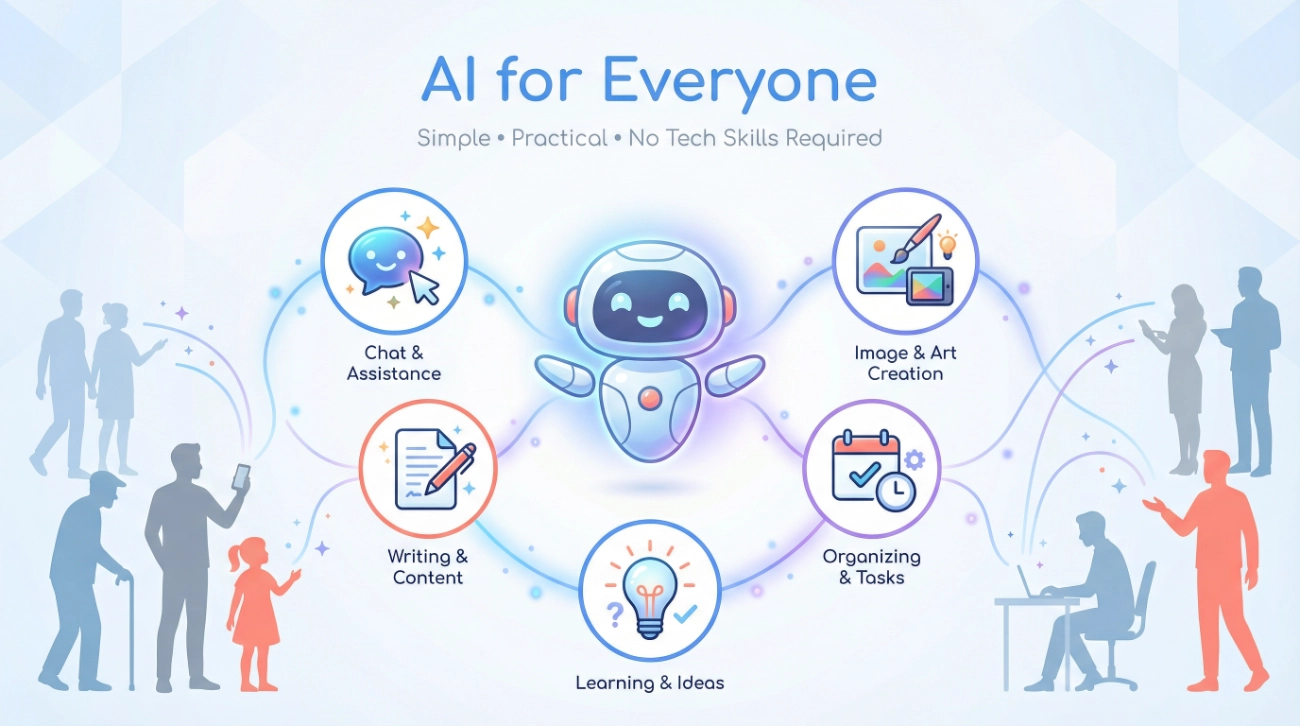
Think of AI as a helpful assistant that lives inside your phone or computer. It’s not scary, it’s not going to take over the world, and most importantly, it’s designed to make your life easier. Whether you’re writing an email, planning a trip, or trying to understand something complicated, AI can help—and you can learn to use it in less time than it takes to watch a TV show.
What AI Actually Is (Without the Confusing Jargon)
Here’s the simplest way to understand AI tools: Imagine you had a brilliant friend who had read millions of books, articles, and websites. This friend can help you write things, answer questions, explain difficult topics, and even help you learn new skills. That’s basically what artificial intelligence does.
According to the Federal Reserve Bank of St. Louis in their “State of Generative AI Adoption in 2025” research (2025), 54.6% of American adults now use some form of AI. That’s more than half of all adults—and it grew by 10 percentage points in just one year. (ℹ️ Source)
AI isn’t actually “thinking” the way humans do. Instead, it recognizes patterns from everything it learned during training and uses those patterns to help you. Think of it like this:
- When you type on your phone and it suggests the next word, that’s a basic form of AI
- When Netflix recommends shows you might like, that’s AI analyzing patterns
- When you ask your phone a question and it answers, that’s AI in action
The AI adoption we’re seeing today is simply more people realizing these tools can help with everyday tasks—writing, learning, planning, creating, and problem-solving.
How AI Actually Works (Explained Like You’re 12)
You don’t need to understand the complex technology behind AI to use it. But here’s a simple explanation that makes sense:
The Library Analogy
Imagine AI systems like ChatGPT or Google Gemini as someone who spent years in a massive library reading every book, magazine, and newspaper. They didn’t memorize everything word-for-word, but they learned patterns about how language works, how people explain things, and how to answer questions.
When you ask AI something, it’s like asking that well-read person a question. They use all those patterns they learned to give you a helpful answer. They’re not looking it up in real-time (unless they have web search turned on)—they’re using what they learned from all that “reading” to construct an answer for you.
The Three Simple Parts
- You ask a question (called a “prompt”)
- AI processes what you asked using its training
- You get an answer that tries to be helpful
That’s it. No complex coding. No technical setup. Just conversation.
According to Netguru’s “AI Adoption Statistics in 2026” report (2025), AI tools now reach 378 million people worldwide, representing a massive jump of 64 million new users added just since 2024. These aren’t all tech experts—they’re normal people using AI for practical, everyday tasks. (ℹ️ Source)
What AI Can Do (And What It Can’t)
Let’s be honest about both sides. Understanding what AI can help with—and what it struggles with—will save you frustration.
What AI Is Great At
AI is excellent for these everyday tasks:
- Writing help: Drafting emails, creating outlines, fixing grammar, making something sound more professional or casual
- Learning: Explaining difficult concepts in simple terms, creating study guides, practicing a new language
- Brainstorming: Coming up with ideas for projects, names, gifts, recipes, travel plans
- Summarizing: Taking long articles or documents and giving you the key points
- Basic coding: Helping beginners understand code or write simple programs
- Creative projects: Writing stories, poems, song lyrics, or social media captions
What AI Struggles With
AI has limitations you should know about:
- Recent events: Most AI tools don’t know what happened yesterday or last week (unless they have web search)
- Personal information: AI doesn’t know about your specific life, family, or past unless you tell it
- Perfect accuracy: AI can make mistakes or “hallucinate” (make up facts that sound true but aren’t)
- Math precision: While improving, AI isn’t a calculator and can mess up complex calculations
- Emotional understanding: AI can seem empathetic but doesn’t truly understand emotions
- Physical tasks: AI can’t physically do anything—it only works with information and text
According to McKinsey’s “State of AI in 2025” report (2025), while 78% of organizations now use AI in at least one business function, most are still learning best practices and discovering what works. This shows even big companies are figuring it out alongside regular users. (ℹ️ Source)
Real-World Examples Anyone Can Understand
Let’s look at how real people use AI tools in their actual lives:
Sarah, the Busy Parent
Sarah uses ChatGPT to help plan her kids’ birthday parties. She tells it, “I need ideas for a dinosaur-themed birthday party for 6-year-olds, outdoor activities, and a budget under $200. ” Within seconds, she gets a complete list of decoration ideas, game suggestions, and even a shopping list.
Time saved: 2 hours of Pinterest scrolling and planning.
Marcus, the College Student
Marcus struggles with understanding economics concepts. He asks Claude (another AI tool): “Explain supply and demand like I’m explaining it to my little brother, who’s 10 years old.” The AI breaks it down using examples of Pokemon cards and lemonade stands—suddenly it clicks.
Result: Better grades and less study stress.
Jennifer, the Small Business Owner
Jennifer needs to send a professional email to a client about a delayed project, but she’s not sure how to word it without sounding unprofessional. She types into Google Gemini: “Write a professional apology email about a project delay; keep it brief and reassuring.” She gets a polished draft in 10 seconds, tweaks it slightly, and sends it.
Time saved: 30 minutes of stressing over the perfect wording.
David, the Retiree Learning Technology
David wants to understand what his grandson does for work (software engineering). He asks an AI chatbot, “Explain what a software engineer does in simple terms a 70-year-old would understand.” The AI uses analogies about building houses and solving puzzles that make perfect sense.
Outcome: Better family conversations and genuine understanding.
Why This Matters for Normal People Like Us
You might think, “This sounds nice, but why should I care?” Here’s why AI matters for your everyday life:
You’re Already Behind the Curve
According to the Wharton School’s “2025 AI Adoption Report” (2025), 72% of professionals report using generative AI at least weekly, and spending on these tools increased by 130% in just one year. If you’re not using AI yet, you’re in the minority—and that gap will only grow. (ℹ️ Source)
But here’s the good news: catching up is easy. You can start using AI today, for free, and be comfortable with it within a week.
It Saves Real Time
According to OpenAI’s “2025 State of Enterprise AI” report (2025), enterprise users report saving 40-60 minutes per day using AI tools. Even if you only save 20 minutes a day, that’s over 120 hours per year—essentially three full work weeks. (ℹ️ Source)
It Levels the Playing Field
You don’t need expensive tools or training. The best AI tools have free versions that are surprisingly powerful:
- ChatGPT (free plan) gives you access to capable AI for writing, research, and learning
- Google Gemini (free) integrates with Gmail, Docs, and other Google services
- Claude (free) offers long conversations and careful, thoughtful responses
- Microsoft Copilot (free in Bing) helps with searches and summaries
It Builds Confidence in Technology
Learning to use AI effectively makes you more confident with all technology. Once you understand how to have a conversation with AI, you’ll find other tech tools less intimidating too.
How to Actually Start Today (Step-by-Step)
Ready to start using AI? Here’s your exact roadmap:
Step 1: Pick One Free Tool (5 Minutes)
Don’t overwhelm yourself trying everything. Choose ONE tool to start:
For general use: Go to chat.openai.com and create a free ChatGPT account If you use Google a lot: Try Google Gemini at gemini.google.com For thoughtful conversations: Visit claude.ai for Claude
All you need is an email address. No credit card is required for the free versions.
Step 2: Start with Something Easy (10 Minutes)
Don’t start with your most complex problem. Try something simple to build confidence:
Easy starter prompts:
- “Explain photosynthesis like I’m 10 years old”
- “Help me write a polite text declining a dinner invitation”
- “Give me 5 ideas for healthy weeknight dinners”
- “Summarize the plot of [your favorite book] in 3 paragraphs”
Type it in; see what happens. If you don’t like the answer, just ask it to try again differently.
Step 3: Learn the Basics of Good Questions (15 Minutes)
The better your question (or “prompt”), the better the answer. Here’s the simple formula:
Bad prompt: “Help with email.”
Good prompt: “Write a professional email to my boss requesting next Friday off for a family event. Keep it brief and polite.”
See the difference? The good prompt includes:
- What you want (a professional email)
- Who it’s for (your boss)
- The purpose (requesting time off)
- The tone (brief and polite)
Step 4: Practice with Real Tasks (Ongoing)
The best way to learn is by using AI for actual things you need to do:
This week, try:
- Ask AI to help you write your next email
- Have it explain something you’ve always been curious about
- Request a summary of a long article you need to read
- Get suggestions for [whatever you’re planning]
Step 5: Learn from Mistakes (Important!)
AI will make mistakes. It might:
- Give you outdated information
- Confidently state something that’s wrong
- Misunderstand what you meant
This is normal. The trick is: always verify important information. Don’t blindly trust everything AI says—use it as a helpful starting point, not as gospel truth.
Common Questions Normal People Ask
Is AI Safe to Use?
Yes, the major AI tools (ChatGPT, Claude, and Google Gemini) are safe for general use. However:
Don’t share: Passwords, credit card numbers, social security numbers, or very private information Do use for: Writing help, learning, brainstorming, general questions, creative projects
Think of it like talking to a helpful stranger—be smart about what you share.
Will AI Replace My Job?
This is the big fear everyone has. Here’s the honest truth: AI won’t replace YOU, but someone using AI might.
According to PwC research cited in Mission Cloud’s “AI Statistics 2025” report (2025), workers with AI skills now command a 56% wage premium, up from 25% just a year earlier. The people learning to use AI effectively are becoming more valuable and not less.
(ℹ️ Source)The goal isn’t to compete with AI—it’s to use AI as your assistant so you can focus on the creative, strategic, human parts of your work.
Do I Need to Pay for AI?
No. The free versions of major AI tools are surprisingly capable. You can do 90% of what you need without ever paying.
When you might want paid versions:
- If you use AI constantly (multiple hours per day)
- If you need faster responses or priority access
- If you want the absolute latest features
For most beginners, free is perfect for at least 3-6 months of regular use.
What If I Ask a “Dumb” Question?
There are no dumb questions with AI. Seriously. AI doesn’t judge you. It won’t roll its eyes. It won’t make you feel stupid. This is one of the beautiful things about learning with AI—you can ask anything, no matter how basic.
I’ve asked AI to explain the difference between “affect” and “effect” probably 20 times because I keep forgetting. It patiently explains it every single time without making me feel bad.
How Do I Know If the Answer Is Right?
Great question! Here’s your verification checklist:
For facts and statistics: Cross-check with reliable websites or sources For creative work: Use your judgment—does it sound right to you? For technical stuff: Try the solution and see if it works For important decisions: Consult a real human expert too
According to Sandeep Mittal’s “Getting Started with AI” guide (2025), one of the most important beginner lessons is understanding that AI can “hallucinate”—meaning it sometimes makes stuff up that sounds convincing but isn’t true. Always verify important information.
(ℹ️ Source)
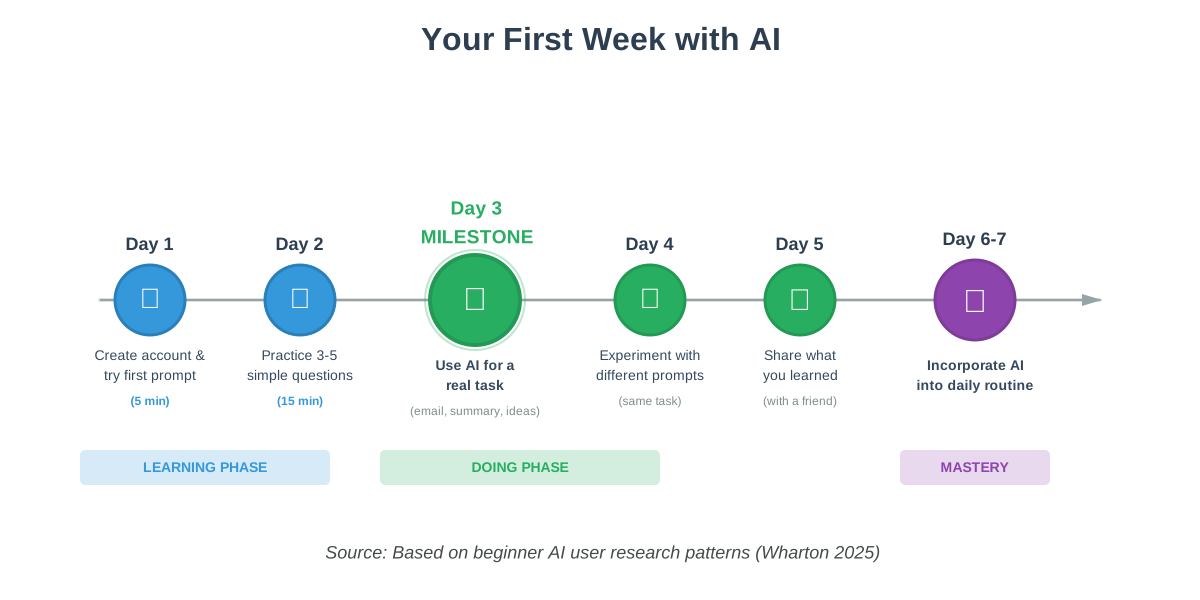
Your First Week: A Simple Plan
Here’s what your first week of learning to use AI could look like:
Monday: Create your free account (ChatGPT, Claude, or Google Gemini). Ask three simple questions to see how it works. Time: 15 minutes.
Tuesday: Practice asking the same question in different ways. Notice how the answers change based on how you phrase things. Time: 20 minutes.
Wednesday: Use AI for a real task you have today. Maybe write an email, create a grocery list, or get ideas for something you’re planning. Time: 15 minutes.
Thursday: Try explaining something complicated you already know to see how AI explains it. Compare it to how you’d explain it. This helps you understand what AI is effective at. Time: 15 minutes.
Friday: Ask AI to help you learn something new—a recipe, a skill, or a topic you’re curious about. Time: 20 minutes.
Saturday/Sunday: Optional—play around with creative prompts. Ask it to write a funny poem about your pet, create a travel itinerary for a dream vacation, or come up with gift ideas for someone. Time: whenever you have a few minutes.
Total time investment: About 90 minutes over a week. That’s less than two episodes of your favorite show, and by the end, you’ll have a useful new skill.
Tips to Get Better Faster
Be Specific
Weak: “Tell me about dogs”
Better: “Explain why dogs are so loyal to humans in simple terms”
Give Context
Weak: “Write an email”
Better: “Write a friendly email to my neighbor apologizing for my loud music last night. Keep it casual but sincere.”
Ask for the Format You Want
Weak: “Explain budgeting”
Better: “Explain budgeting in 5 bullet points, each under 20 words, for someone who’s never made a budget before”
Don’t Be Afraid to Revise
If the first answer isn’t perfect, just say: “Can you make this shorter?” or “Can you make this sound more professional?” or “Can you explain this more simply?”
Experiment
The only way to get better is to try different things. You can’t break anything. Worst case scenario? You get a response you don’t like and you try again.
What Happens After You Start?
Once you’re comfortable with basic AI use, you’ll notice something intriguing: you’ll start seeing opportunities everywhere to save time or get help.
You’ll find yourself thinking:
- “I bet AI could help me write this”
- “Let me ask AI to explain this before I spend an hour googling”
- “AI could probably give me 10 ideas for this in 30 seconds”
According to Coherent Solutions’ “2025 AI Adoption Trends” analysis (2025), over 77% of manufacturers have now implemented AI to some extent, up from 70% in 2023. What started as a corporate technology is now something individuals use daily for personal productivity. (ℹ️ Source)
This mindset shift—from “AI is for tech people” to “AI is my helpful assistant”—is when it really becomes valuable in your life.
The Bottom Line: You Can Do This
Start using AI is not about becoming a tech expert. It’s about:
✓ Trying something new that millions of regular people already use
✓ Saving yourself time on tedious tasks
✓ Getting help when you need it, instantly
✓ Learning new things more easily
✓ Becoming more confident with technology
You already have everything you need. You can type, you can read, and you can ask questions. That’s literally all it takes.
The people who succeed with AI aren’t the ones with technical degrees—they’re the ones who just start using it, make mistakes, learn, and keep going. That can be you.
Your Next Step (Do This Today)
Here’s your simple action plan:
- Pick ONE AI tool from this list: ChatGPT, Claude, or Google Gemini
- Create your free account (takes 2 minutes)
- Ask it this exact question: “Explain what you are and what you can help me with in simple terms”
- Read the answer
- Ask it one question about something you’re genuinely curious about
That’s it. Don’t overthink it. Just do these five things today, and you’ll have officially started your AI journey.
Remember: Every expert was once a beginner who refused to quit. The difference between people who use AI confidently and people who don’t isn’t intelligence or tech skills—it’s just that they started.
You can start using AI today. Right now. What are you waiting for?
References
- McKinsey & Company. (2025). “The State of AI in 2025: Agents, Innovation, and Transformation.” https://www.mckinsey.com/capabilities/quantumblack/our-insights/the-state-of-ai
- Netguru. (2025). “AI Adoption Statistics in 2026. ” https://www.netguru.com/blog/ai-adoption-statistics
- Federal Reserve Bank of St. Louis. (2025). “The State of Generative AI Adoption in 2025.” https://www.stlouisfed.org/on-the-economy/2025/nov/state-generative-ai-adoption-2025
- Coherent Solutions. (2025). “2025 AI Adoption Across Industries: Trends You Don’t Want to Miss.” https://www.coherentsolutions.com/insights/ai-adoption-trends-you-should-not-miss-2025
- Wharton Human-AI Research. (2025). “2025 AI Adoption Report: Gen AI Fast-Tracks Into the Enterprise.” https://knowledge.wharton.upenn.edu/special-report/2025-ai-adoption-report/
- OpenAI. (2025). “The State of Enterprise AI: 2025 Report.” https://cdn.openai.com/pdf/7ef17d82-96bf-4dd1-9df2-228f7f377a29/the-state-of-enterprise-ai_2025-report.pdf
- Mission Cloud. (2025). “AI Statistics 2025: Key Market Data and Trends.” https://www.missioncloud.com/blog/ai-statistics-2025-key-market-data-and-trends
- Mittal, Sandeep. (2025). “Getting Started with AI: A Beginner’s Guide to ChatGPT and Generative Tools.” https://www.sandeepmittal.com/p/getting-started-with-ai-a-beginners
About the Author
Rihab Ahmed is a student and educator passionate about making AI accessible to everyone. As someone who uses AI daily to study more efficiently and understand complex topics, Rihab knows firsthand how these tools can transform learning for people with no technical background. Through clear explanations and relatable examples, Rihab helps students and lifelong learners discover how AI can make education easier, more engaging, and less stressful. When not writing about AI, Rihab is probably using it to summarize textbook chapters or generate practice quiz questions.