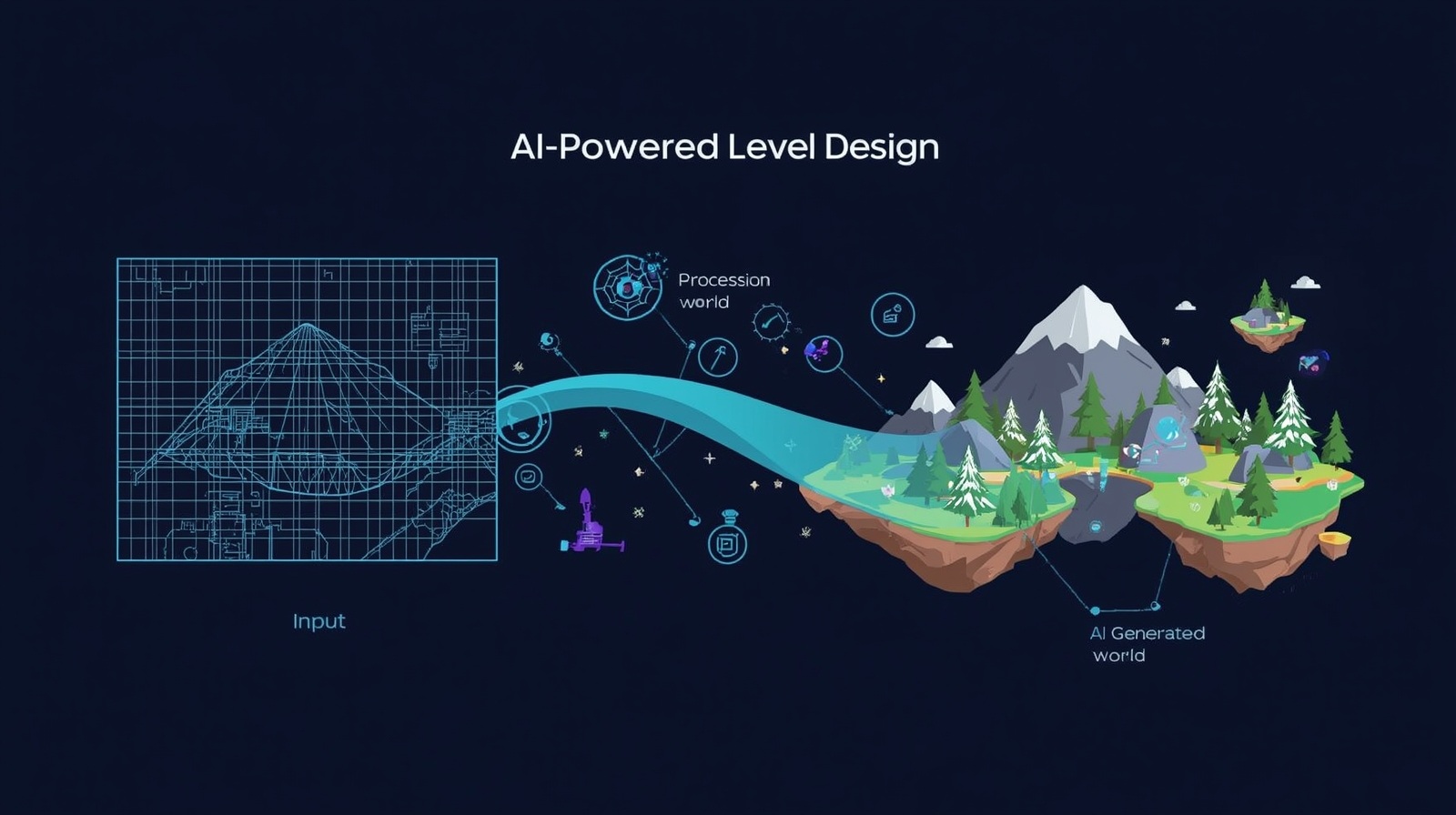
AI-Powered Level Design: Automating World Creation

AI-Powered Level Design is revolutionizing how we create game worlds. Imagine spending months crafting every tree, building, and pathway in a game—exhausting, right? Now picture intelligent algorithms doing that heavy lifting while you focus on the creative vision. That’s exactly what AI-powered level design offers: automated world creation that transforms game development from tedious manual work into an exciting collaborative process with smart technology.
Whether you’re an aspiring game developer, a hobbyist exploring game design, or simply curious about how modern games create those vast, complex scenes, this guide will walk you through everything you need to know about AI-powered level design. I’ll break down complex concepts into simple steps, share practical examples, and show you how anyone—yes, even without coding expertise—can start using these tools today.
What Is AI-Powered Level Design?
Let’s start with the basics. AI-powered level design refers to using artificial intelligence and procedural generation techniques to automatically create game levels, environments, and landscapes. Instead of manually placing every object in a game world, developers use algorithms that can generate entire cities, forests, dungeons, or planets based on specific rules and patterns.
Think of it like having an incredibly skilled assistant who understands your creative vision. You tell them, “I need a mysterious forest with ancient ruins,” and they generate dozens of unique variations instantly. Each forest feels different, yet all match your artistic direction.
There are two main approaches:
Procedural Generation: This uses mathematical algorithms and preset rules to create content. Games like Minecraft use this to generate infinite worlds where every mountain, cave, and village follows logical patterns but appears randomly placed.
Machine Learning Approaches: These systems learn from existing game levels you feed them. They analyze what makes excellent level design—enemy placement, difficulty curves, visual composition—and then create new levels mimicking those successful patterns.
Why Game Developers Love Automated World Creation
Before diving into how it works, let’s understand why automated world creation matters so much in modern game development.
Time Savings: Creating a single detailed game level manually can take weeks or months. AI can generate multiple variations in minutes, letting developers test different layouts quickly.
Infinite Replayability: When levels generate procedurally, players get unique experiences every playthrough. No two games feel identical, which keeps players coming back.
Cost Efficiency: Small indie teams can create massive game worlds without hiring large art departments. This democratizes game development, making ambitious projects possible for everyone.
Creative Exploration: Instead of tediously placing objects, developers can experiment with different generation parameters, exploring creative possibilities they might never have considered manually.
How Procedural Generation Works: The Foundation
Let’s demystify procedural generation—the backbone of AI-powered level design. I’ll explain this in simple terms without overwhelming technical jargon.
Step 1: Defining the Rules
Every procedural system starts with rules. These are instructions telling the AI what elements can exist and how they should relate to each other.
For example, in a fantasy dungeon generator, rules might include:
- Rooms must connect with corridors
- Treasure rooms need to be harder to reach
- Enemy difficulty increases as players progress deeper
- Dead ends should contain rewards or secrets
You’re essentially teaching the AI about your game world’s logic.
Step 2: Using Noise Functions
This sounds complicated, but it’s quite elegant. Noise functions (like Perlin noise or Simplex noise) create natural-looking random patterns—think of them as mathematical recipes for randomness that feels organic rather than chaotic.
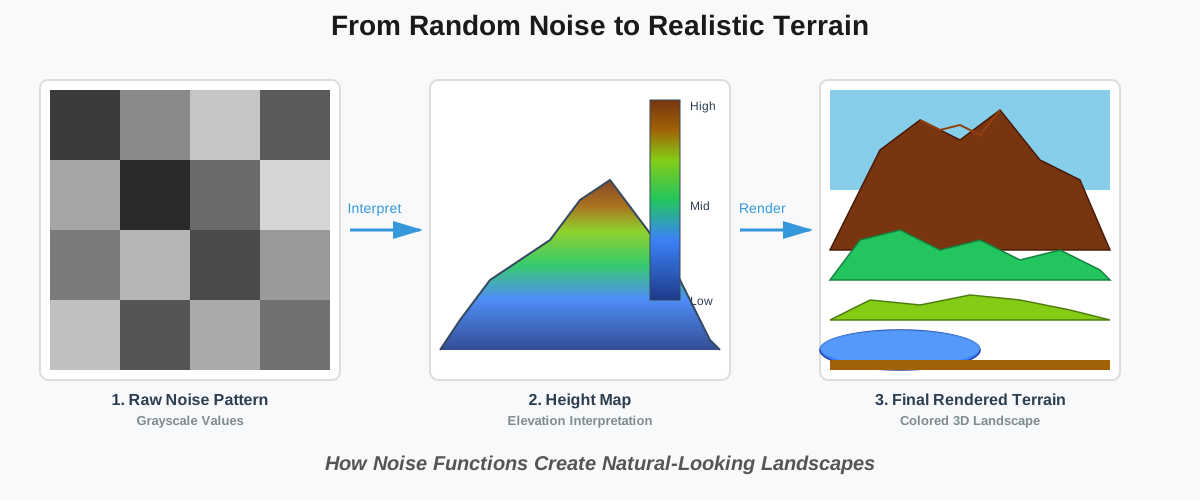
When generating terrain, these functions create smooth, flowing patterns perfect for mountains, coastlines, or cloud formations. Game engines sample these patterns and interpret the values as heights, creating realistic-looking landscapes automatically.
Step 3: Layering and Refinement
Good procedural generation usually uses multiple algorithms. Developers layer multiple techniques:
- Generate basic terrain shape
- Add vegetation based on elevation and moisture
- Place structures following accessibility rules
- Distribute resources, considering the game balance.
- Apply visual polish and details
Each layer refines the previous one, building complexity from simple foundations.
Machine Learning: Teaching AI What Makes Levels Great
While procedural generation follows explicit rules, machine learning approaches learn patterns from examples. This is where things get really exciting.
How Does It Work?
Imagine showing an AI hundreds of professionally designed game levels. The system analyzes them, identifying patterns: “Good platformer levels gradually increase jump distances,” or “Successful puzzle rooms provide visual hints toward solutions.”
After this training phase, the AI can generate new levels exhibiting similar qualities—without being explicitly programmed with those rules. It learned what works by studying examples.
Practical Applications
Enemy Placement: AI learns where enemies create intriguing challenges without frustrating players. It understands concepts like “safe zones after difficult battles” or “enemy varieties that complement each other.”
Difficulty Curves: Machine learning models analyze how professional levels balance challenge progression, then apply those principles to generated content.
Visual Composition: Some AI systems learn aesthetic principles—color harmony, intriguing silhouettes, and focal points—creating levels that don’t just play well but look beautiful too.
Getting Started: Your First Steps with AI Level Design
Are you prepared to give it a try? Here’s a beginner-friendly roadmap for exploring automated world creation.
Step 1: Choose Your Tools
Several accessible tools exist for beginners:
Unity with ProBuilder: Unity’s game engine offers free procedural generation plugins. ProBuilder lets you create and modify 3D geometry programmatically, perfect for learning.
Unreal Engine’s Procedural Content Generation: Unreal provides a built-in PCG (Procedural Content Generation) framework. Their visual scripting system (Blueprints) means no coding is required.
Blender with Animation Nodes: If you prefer 3D modeling, Blender’s Animation Nodes add-on enables procedural generation for creating assets and environments.
Dedicated Tools: Software like World Creator or Gaea specializes in terrain generation with intuitive interfaces designed for artists rather than programmers.
Step 2: Start Simple
Don’t attempt to create an entire open-world game immediately. Begin with small, manageable projects:
- Generate a simple dungeon with connected rooms
- Create a procedural forest with random tree placement
- Build a city block with varying building heights
- Design a platformer level with random obstacle patterns
These projects teach fundamental concepts without overwhelming complexity.
Step 3: Understand Seed Values
Here’s a concept that initially confused me: seed values. These are numbers that initialize random number generators, ensuring reproducible results.
Using the same seed always produces identical output. This lets you:
- Generate the same world repeatedly for testing
- Share seeds with others who can recreate your exact world
- Iterate on designs while maintaining a core structure.
Step 4: Balance Randomness and Control
Pure randomness creates chaos. The art lies in controlled randomness—parameters that guide generation toward your vision while maintaining variety.
For example, instead of completely random tree placement, you might specify:
- Tree density (trees per square meter)
- Minimum distance between trees
- Preferred tree types based on terrain elevation
- Clustering patterns (trees group naturally, not perfectly spaced)
This creates natural-looking forests that still feel designed.
Step 5: Iterate and Refine
Your first generated levels probably won’t be perfect—that’s completely normal! AI-powered level design involves iteration:
- Generate initial content
- Playtest and identify issues
- Adjust parameters or rules
- Regenerate and test again
- Repeat until satisfied
Each iteration teaches you how different parameters affect output, building your intuition for what works.
Common Mistakes Beginners Make (And How to Avoid Them)
Through helping others learn automated world creation, I’ve noticed several recurring pitfalls. Let’s address them:
Mistake 1: Overrelying on Randomness
Completely random placement creates messy, unplayable levels. Always add constraints and rules, ensuring functional game design.
Mistake 2: Ignoring Player Experience
Generated content must still be fun. Test your levels regularly, ensuring they’re not just technically functional but actually enjoyable to play.
Mistake 3: Neglecting Visual Cohesion
Procedural systems can create technical accuracy but lack artistic unity. Always add post-processing passes for visual polish—consistent lighting, color grading, and detailed objects.
Mistake 4: Creating Without Purpose
Every generated element should serve a gameplay or narrative purpose. Random content for randomness’ sake dilutes your game’s focus.
Mistake 5: Expecting Perfection Immediately
Like any skill, AI-powered level design requires practice. Your first attempts will be rough. Embrace the learning process rather than getting discouraged.
Real-World Examples: Games Using AI Level Design
Seeing how successful games implement these techniques provides valuable insights:
No Man’s Sky: Perhaps the most ambitious example, using procedural generation to create 18 quintillion unique planets. Each planet’s terrain, flora, fauna, and climate follow algorithmic rules while maintaining infinite variety.
Spelunky: This indie platformer generates unique cave systems every playthrough. The algorithm ensures levels remain fair and complete while providing endless variety that keeps players engaged.
Diablo Series: These action RPGs use procedural dungeons extensively. The layout changes each session, maintaining replay value while ensuring boss rooms and key encounters appear at appropriate difficulty points.
Minecraft: The gold standard for procedural terrain generation. Its world generator creates believable ecosystems—forests, deserts, mountains, and oceans—using sophisticated noise functions and biome systems.
Advanced Techniques: Where to Go Next
Once comfortable with basics, these advanced topics open new possibilities:
Wave Function Collapse: An algorithm that generates content by starting with all possibilities and progressively eliminating incompatible options until only valid solutions remain. Excellent for creating cohesive architectural spaces.
Evolutionary Algorithms: These generate multiple-level variations, simulate players experiencing them, then “breed” the most successful versions, creating increasingly refined designs through artificial evolution.
Neural Networks for Style Transfer: Train AI on specific artistic styles, then apply those styles to procedurally generated content, ensuring consistency with your game’s aesthetic.
Grammar-Based Generation: Define structural rules as formal grammars (like language syntax), creating complex hierarchical structures like buildings, questlines, or narrative elements.
Frequently Asked Questions About AI-Powered Level Design
Your Next Steps: Start Creating Today
You now understand how AI-powered level design works and why it’s transforming game development. But knowledge means nothing without action. Here’s what I recommend you do next:
Experiment with Free Tools: Download Unity or Unreal Engine (both free for beginners) and explore their procedural generation tutorials. Hands-on experimentation teaches faster than any article.
Study Existing Games: Load up Minecraft, Spelunky, or similar games. Analyze their generated content critically: What patterns do you notice? How do they balance randomness with playability?
Join Communities: Online forums like r/proceduralgeneration, Unity/Unreal forums, and Discord servers connect you with other learners and experienced developers happy to help.
Start Small, Dream Big: Create tiny procedural systems first—a random room generator, a simple tree placer. Build confidence with small wins before attempting massive projects.
Keep Learning: Technology evolves constantly. Follow game development blogs, watch GDC talks about procedural generation, and stay curious about new techniques.
The most important step is simply starting. Every expert in automated world creation began exactly where you are now—curious, maybe a bit intimidated, but willing to try. The tools exist, the knowledge is accessible, and the community is welcoming.
Your first generated world might be messy, broken, or strange-looking. That’s perfect! Each attempt teaches you something new, building skills that let you create increasingly sophisticated, beautiful, and playable generated worlds.
So open that game engine, start experimenting, and discover the joy of watching AI bring your creative visions to life. The future of game development is automated, intelligent, and incredibly exciting—and you’re now equipped to be part of it.
About the Author
Abir Benali is a friendly technology writer who explains AI tools to non-technical users. With a passion for making complex technologies accessible to everyone, Abir specializes in breaking down game development concepts and AI applications into clear, actionable guidance. When not writing, Abir enjoys exploring indie games and experimenting with procedural generation tools. This article reflects Abir’s commitment to helping beginners confidently enter the world of AI-powered game design.