AI-Powered Time Tracking: A Beginner’s Guide

Have you ever wondered where your day goes? You start working in the morning, blink, and suddenly it’s evening—yet you can’t quite pinpoint what consumed all those hours. I’ve been there countless times, and it’s frustrating. This is precisely where AI-Powered Time Tracking becomes invaluable.
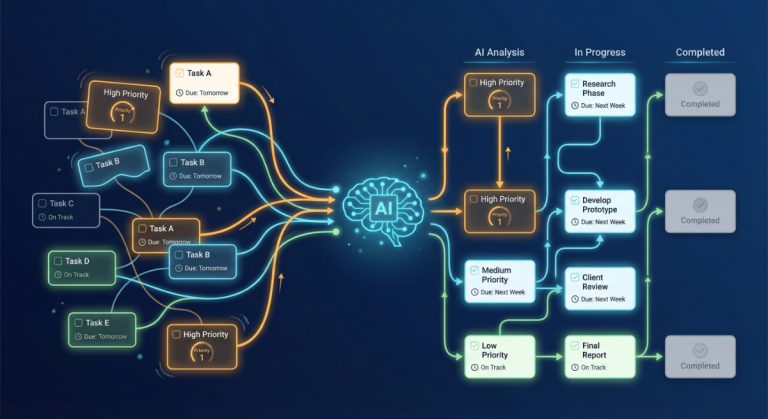
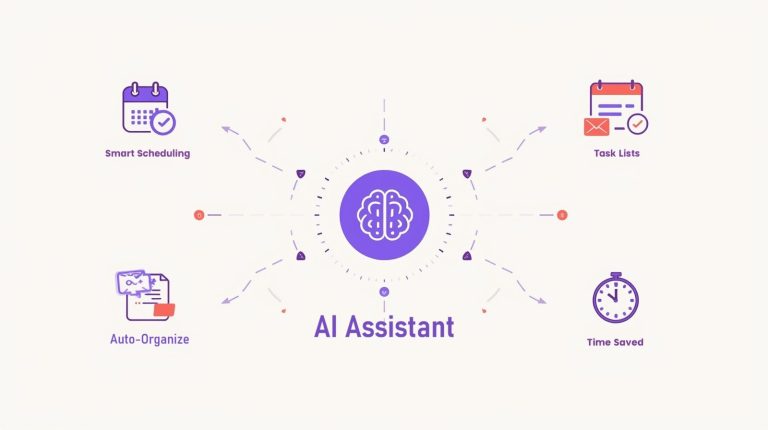
AI-Powered Time Tracking uses artificial intelligence to automatically monitor and record how you spend your time throughout the workday. Instead of manually starting and stopping timers, the technology works quietly in the background, learning your patterns and categorizing your activities without you lifting a finger. It’s like having a personal assistant who never forgets to log your hours.
What Exactly Is AI-Powered Time Tracking?
Let me break this down in the simplest way possible. Traditional time tracking requires you to manually clock in and out of tasks. You open an app, click “start timer” when you begin writing that report, then click “stop” when you’re done. It seems simple, doesn’t it? Except we humans forget. We get distracted. We jump between tasks.
AI-powered time tracking eliminates this hassle entirely. The software runs on your computer or mobile device, quietly observing which applications you use, which websites you visit, and which documents you open. Using machine learning algorithms, it recognizes patterns and automatically categorizes your activities. Writing in Google Docs? That’s likely work. Is your time spent browsing social media? Perhaps you need a break. The AI learns what’s productive time versus downtime based on your behavior.
Think of it as the difference between keeping a handwritten diary versus having a camera that automatically captures your entire day and organizes the photos into albums for you. The latter is smarter, faster, and far more accurate.
How Does AI-Powered Time Tracking Actually Work?
When I first heard about automatic time tracking, I was skeptical. How could software know what I’m doing? But after using it myself, I realized it’s actually quite straightforward.
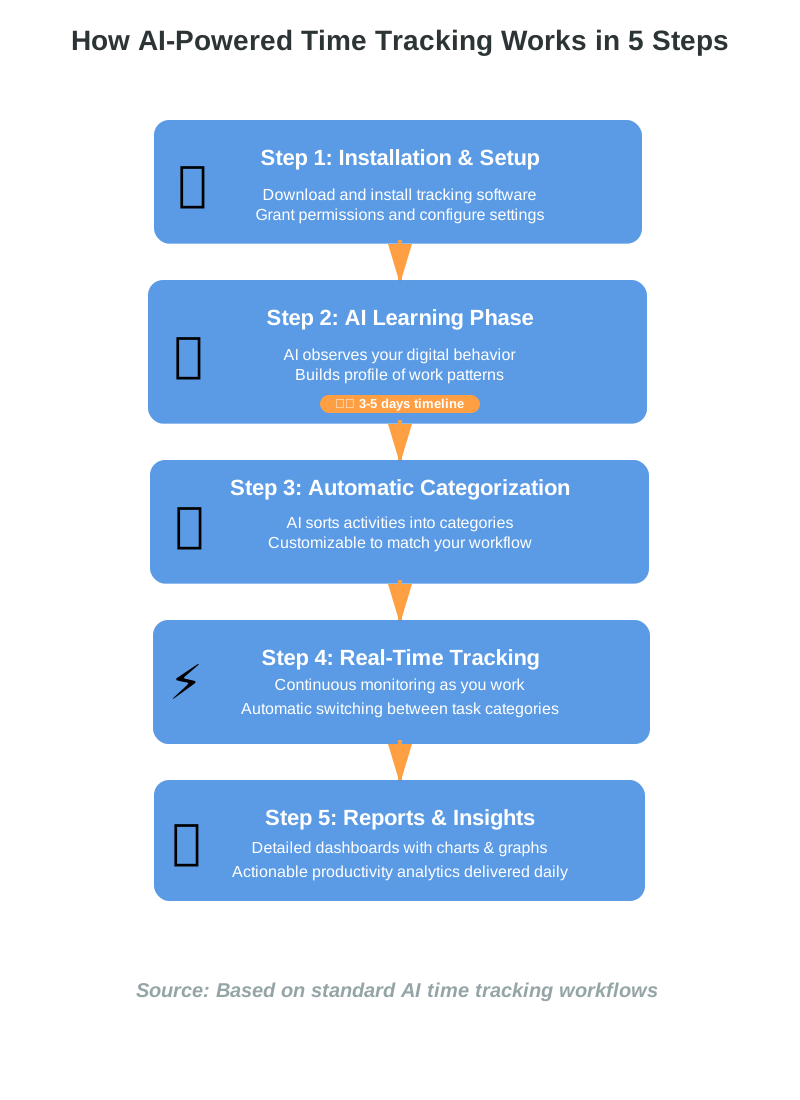
Step 1: Installation and Setup
First, you download and install the time tracking software on your device. Most tools work across Windows, Mac, iOS, and Android. During setup, you’ll grant the app permission to monitor your activities—don’t worry, reputable tools prioritize your privacy and keep data secure.
Step 2: The AI Starts Learning
Once installed, the AI tracking system begins observing your digital behavior. It notices that you spend mornings in your email client, afternoons in design software, and evenings reviewing documents. Over several days, the AI builds a profile of your work patterns.
Step 3: Automatic Categorization
This is where the magic happens. The intelligent time tracker starts automatically sorting your activities into categories: meetings, focused work, administrative tasks, breaks, and more. You can customize these categories to match your specific workflow. For example, I’ve set mine to distinguish between “client work,” “content creation,” and “research.”
Step 4: Real-Time Tracking
As you work, the system continuously tracks time in real-time, switching categories automatically as you move between tasks. If you jump from writing an email to joining a video call, the AI-powered software recognizes the change instantly and adjusts your time log accordingly.
Step 5: Reports and Insights
At the end of the day, week, or month, you get detailed time tracking reports showing exactly how you spent your time. Most tools provide visual dashboards with charts and graphs, making it easy to spot where your productive hours went—or where time slipped away.
Why Use AI-Powered Time Tracking?
You might be wondering, “This sounds interesting, but do I really need it?” Allow me to share why I believe automated time tracking is a game-changer, especially if you’ve never tracked your time before.
It Eliminates Manual Effort
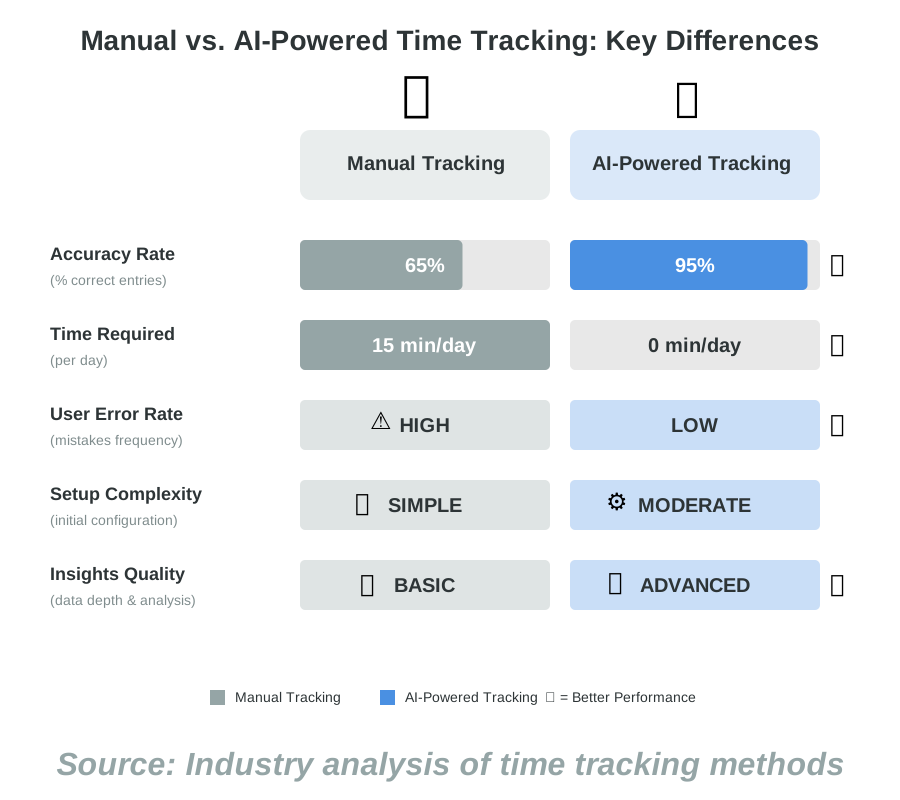
What is the biggest advantage of automated time tracking? You don’t have to remember anything. When I used manual time tracking apps, I constantly forgot to start the timer. By the end of the day, I had giant gaps in my records. With AI automation, that problem vanishes. The software handles everything while you focus on actual work.
It Reveals Hidden Time Drains
We all think we know how we spend our time, but we’re usually wrong. Before using AI time tracking, I thought I spent about two hours daily on email. The reality? Nearly four hours! Seeing this data helped me set boundaries and reclaim those lost hours. The time analytics don’t lie.
It Boosts Productivity
Once you see where time goes, you can make better decisions. Maybe you discover you’re most productive between 9 AM and noon—so you schedule important tasks then. Or you notice you’re spending too much time in meetings and need to decline some invitations. Productivity tracking gives you actionable insights.
It Simplifies Billing and Invoicing
For freelancers and consultants, automated time tracking is a lifesaver. You can accurately bill clients for every hour worked without manually logging tasks. The AI generates detailed timesheets showing exactly what you did for each project. No more guesswork or lost billable hours.
It Improves Team Collaboration
If you manage a team, AI-powered tracking tools help you understand how your group spends time. You can identify bottlenecks, redistribute workload, and ensure everyone has a balanced schedule. It’s not about surveillance—it’s about supporting your team better.
Common Concerns About AI Time Tracking
I know what you’re thinking. “Isn’t this Big Brother watching me?” It’s a valid concern, and one I had too. Let me address the most common worries.
Privacy Concerns
Reputable AI time tracking software prioritizes your privacy. Most tools don’t record screenshots or keystrokes—they simply note which application you’re using and for how long. You maintain control over your data, and many tools allow you to pause tracking during personal time. Always choose software with clear privacy policies and strong encryption.
Accuracy Issues
Some people worry the AI will miscategorize their work. In my experience, the machine learning gets smarter over time. Yes, there might be initial mistakes, but you can manually correct them, teaching the AI to be more accurate. After a week or two, categorization becomes remarkably precise.
Fear of Micromanagement
If your employer uses employee time tracking, you might feel watched. This is a legitimate concern. However, when used ethically, these tools focus on patterns and productivity, not policing bathroom breaks. Good managers use the data to improve workflows, not punish employees. If you’re uncomfortable, have an open conversation with your supervisor about boundaries.
Getting Started with AI-Powered Time Tracking
Ready to try AI time-tracking for yourself? Here’s my step-by-step approach for beginners.
Step 1: Choose Your Tool
Start by researching time-tracking applications. Popular options include Toggl Track, RescueTime, Clockify, and Timely. Look for tools that offer automatic tracking, customizable categories, and adequate privacy protections. Many provide free trials, so you can test before committing.
Step 2: Install and Configure
Download your chosen app and follow the installation prompts. During setup, take time to configure your categories thoughtfully. Think about how you divide your work: by project, by client, or by task type? The clearer your categories, the more useful your data will be.
Step 3: Let It Run for a Week
Don’t obsess over the data immediately. Let the AI tracking system observe your behavior for at least a week. This gives the algorithm enough data to learn your patterns. Resist the urge to constantly check reports—just work normally.
Step 4: Review Your First Report
After a week, dive into your time tracking dashboard. Look for surprises. Where did time go that you didn’t expect? Which tasks took longer than anticipated? Don’t judge yourself—this is purely about gathering information.
Step 5: Make One Small Change
Based on your insights, implement one small improvement. Maybe you’ll block 30 minutes for email twice daily instead of checking constantly. Or perhaps you’ll schedule your hardest work during your most productive hours. Start small; productivity optimization is a marathon, not a sprint.
Step 6: Adjust and Refine
Over the following weeks, continue reviewing your data and making adjustments. Correct any miscategorizations to help the AI learn. Fine-tune your categories as needed. The system becomes more valuable the longer you use it.
Frequently Asked Questions
Tips for Getting the Most from AI Time Tracking
After using automated time tracking for over a year, I’ve learned some tricks that make it even more effective.
Set realistic categories. Don’t create fifty different task types. Start with five to seven broad categories and refine as needed. Simplicity beats complexity.
Review data weekly, not daily. Daily fluctuations are normal. Weekly patterns reveal the real story. I check my time reports every Friday afternoon to plan the following week.
Don’t punish yourself with the data. If you discover you’re less productive than hoped, view it as information, not judgment. Use insights to make positive changes, not to feel guilty.
Communicate with your team. If your workplace uses team time tracking, discuss how the data will be used. Transparency prevents misunderstandings and builds trust.
Take breaks seriously. When the AI shows you’re working ten hours straight, listen. Schedule regular breaks. Productivity isn’t about constant work—it’s about sustainable, focused effort.
Real-Life Success Stories
Let me share how AI time tracking transformed work for people I know.
My friend Sarah, a freelance graphic designer, struggled with billing clients accurately. She’d estimate hours and always felt she was either overcharging or undercharging. After implementing AI-powered tracking, she discovered she was underestimating project time by nearly 30%. Her income increased simply because she started billing for actual hours worked.
A small marketing agency I worked with used team time tracking to identify that their content team spent 40% of their time in meetings. By recognizing this pattern, management reduced meetings by half and freed up time for creative work. Team satisfaction soared, and output increased by 25%.
Even students benefit. My cousin used automatic time tracking during exam preparation and realized he spent three hours daily on social media while thinking he only browsed for 30 minutes. This awareness helped him set app limits and improve his study habits.
Taking Your First Steps
You don’t need to become a time-tracking expert overnight. Start small. Pick one simple tool with good reviews, install it, and let it run for a week. Don’t overthink it. Don’t stress about perfect categories or immediate insights.
AI-Powered Time Tracking works best when you approach it with curiosity rather than pressure. Think of it as an experiment in self-understanding. You’re simply gathering data about your work patterns, and that data will help you make smarter decisions about how you spend your most valuable resource: time.
The beauty of AI automation in this space is that it removes the burden from you. You don’t have to be disciplined about clicking timers. You don’t have to remember to log tasks. The technology handles the tedious parts so you can focus on what matters—your actual work, your projects, and your goals.
I wish I’d started using automated time tracking years earlier. The insights I’ve gained have genuinely changed how I approach my workday. I’m more intentional, more focused, and honestly, more relaxed because I’m not constantly wondering where my time went.
If you’re feeling overwhelmed by your schedule, struggling to bill accurately, or simply curious about your work patterns, give AI time tracking a try. Choose a tool that feels right, install it today, and check back in a week. You might be surprised by what you discover about yourself.
Remember, the goal isn’t perfection. It’s progress. Even small improvements in how you manage time can compound into significant gains over months and years. So why not start now? Your future self—more productive, more aware, and more in control—will thank you.
References:
Industry analysis of time tracking methodologies
Standard AI time-tracking workflow patterns
Privacy best practices for automated monitoring tools
About the Author
Abir Benali is a friendly technology writer who specializes in making AI tools accessible to everyone. With years of experience helping non-technical users understand complex software, Abir believes that technology should empower, not intimidate. Through clear, jargon-free explanations and practical examples, Abir guides readers step-by-step toward confident tech adoption. When not writing about AI innovations, you’ll find Abir testing new productivity tools and sharing honest insights about what works in real life.