AI Tools for Skill Development: Complete Guide

I know exactly how overwhelming it feels when you want to learn something new but don’t know where to start. Whether you’re a student trying to ace your exams, someone switching careers, or just curious about picking up a new hobby, I’ve been there. The good news? AI tools for skill development have completely transformed how we learn, making it easier, faster, and way more personalized than ever before.
I remember struggling through language apps that bored me to tears and coding tutorials that felt like reading ancient hieroglyphics. Then I discovered AI-powered learning tools, and everything changed. These aren’t just fancy tech gadgets—they’re like having a patient tutor who understands your learning style, adjusts to your pace, and never judges you for asking the same question twice.
In this guide, I’ll walk you through the best AI-powered learning platforms, show you exactly how to use them (step by step, I promise!), and share the mistakes I made so you don’t have to. By the end, you’ll have a clear roadmap to start learning anything you want, whether it’s coding, design, languages, or professional skills. Trust me, if I can do this, so can you!
Why AI Tools Are Game-Changers for Learning
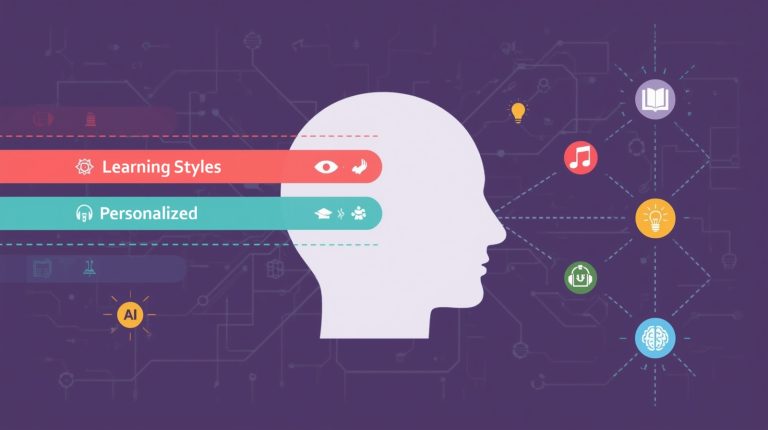
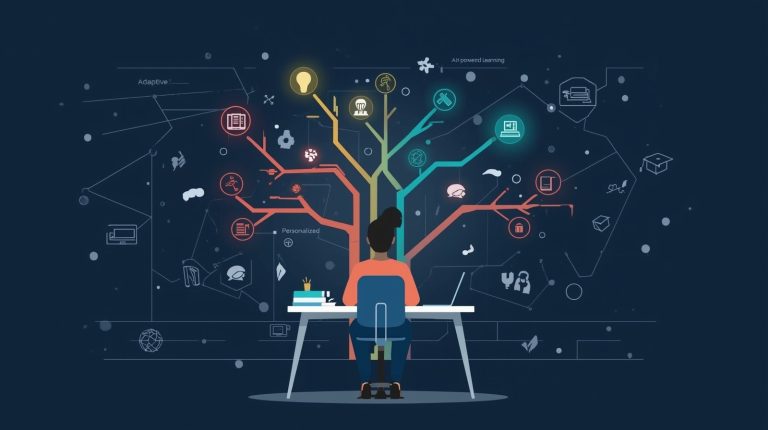
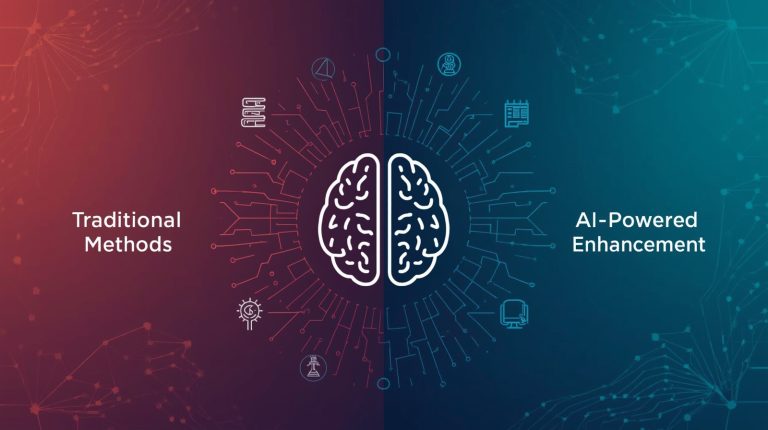
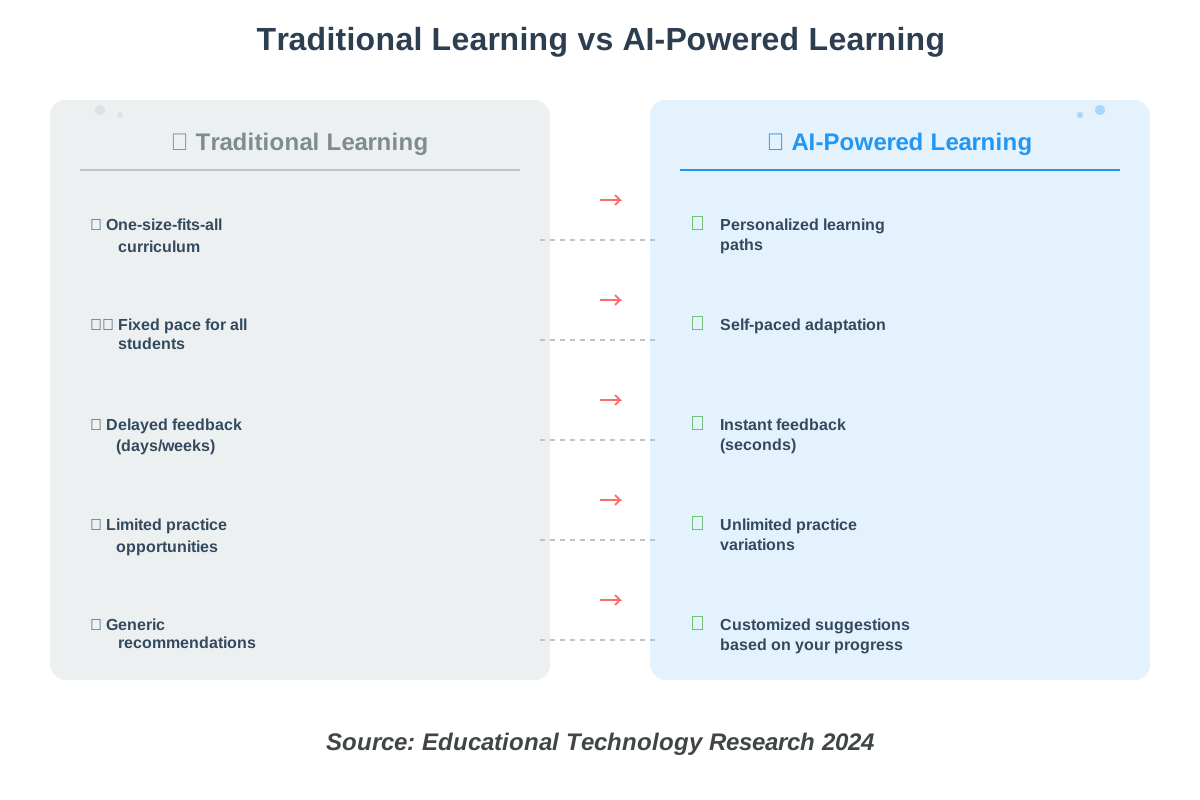
AI tools for skill development aren’t just another trend—they’re fundamentally different from traditional learning methods. Here’s what makes them special: they adapt to YOU. Instead of following a rigid curriculum that treats everyone the same, AI learning platforms analyze how you learn, what you struggle with, and what motivates you.
Think about it this way: when I was learning Spanish using old-school methods, every student got the same lessons regardless of whether we already knew some vocabulary or struggled with verb conjugations. With AI tools, the system noticed I kept messing up past tense verbs and automatically gave me extra practice on that specific area. It was like magic, except it’s actually just smart technology.
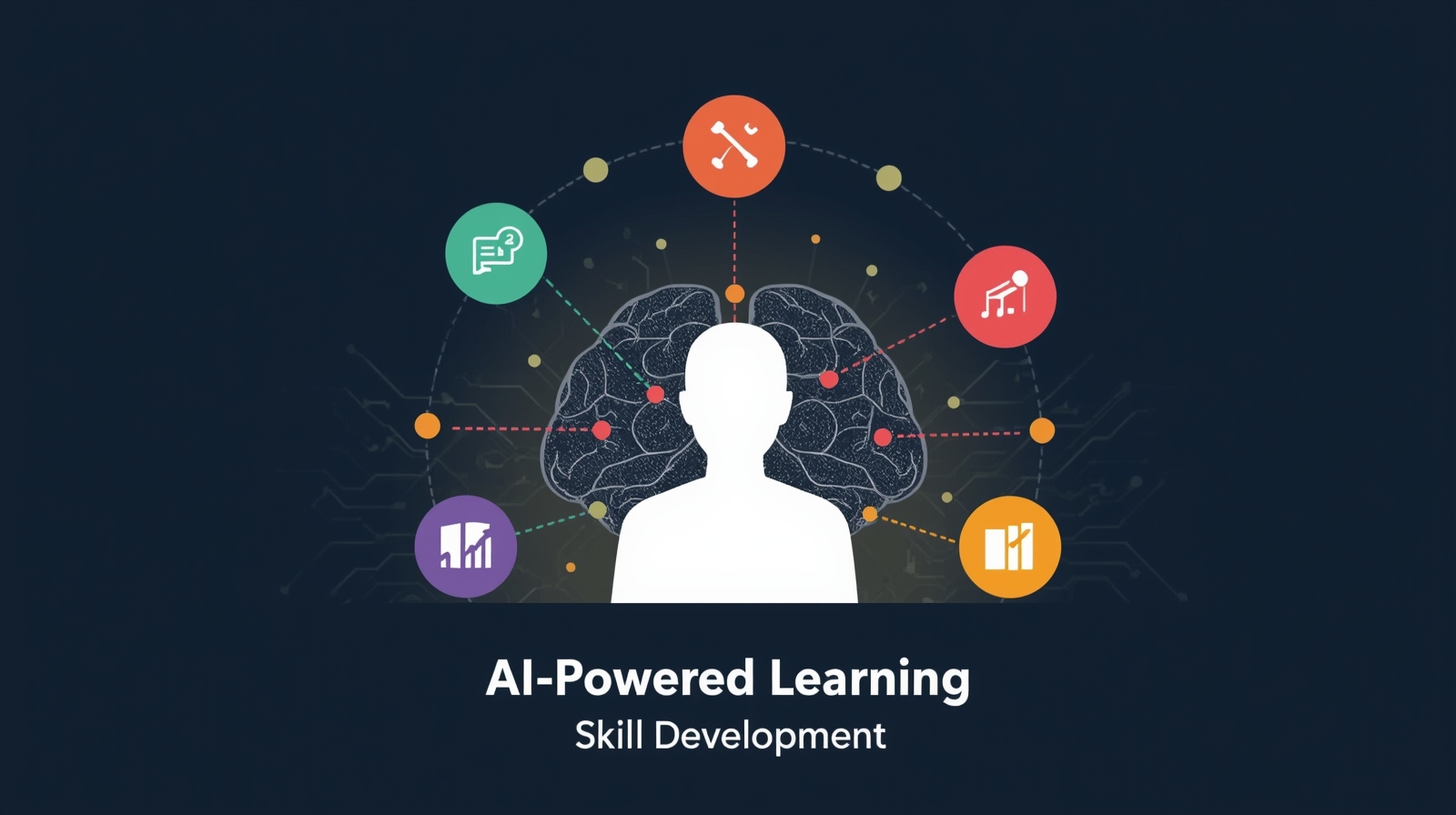
These tools use machine learning algorithms (a fancy term for “the software gets smarter as you use it”) to create a personalized learning path. They track your progress, identify patterns in your mistakes, and adjust the difficulty level in real time. For visual learners like me, they can present information through videos and diagrams. For others who learn better through practice, they offer more hands-on exercises.
The biggest advantage? Instant feedback. No more waiting days for a teacher to grade your work. AI tools tell you immediately what you got right, what needs improvement, and WHY—which is crucial for actually understanding concepts rather than just memorizing answers.
Understanding the Categories of AI Learning Tools
Before we dive into specific tools and how to use them, let me break down the main categories. This helped me tremendously when I was starting out because I realized I didn’t need to learn everything at once—I could focus on what mattered most to me.
Language Learning AI Tools
Language learning platforms powered by AI have come so far. They don’t just teach you vocabulary lists anymore. These tools use speech recognition to help with pronunciation, natural language processing to understand context, and spaced repetition algorithms to help you remember what you’ve learned.
Apps like Duolingo, Babbel, and Rosetta Stone now incorporate AI to create personalized lesson plans. What I love most is that they adapt to your native language, understanding the specific challenges you’ll face. For example, as an Arabic speaker learning English, I struggled with certain sounds that don’t exist in Arabic—the AI picked up on this and gave me extra pronunciation practice.
Coding and Technical Skills
AI coding assistants and learning platforms are incredible for beginners. When I started learning Python, I felt lost in a sea of syntax errors. Tools like GitHub Copilot, Codecademy, and Replit’s AI features changed everything. They don’t just point out errors—they explain why something doesn’t work and suggest fixes.
These platforms offer interactive coding environments where you can practice immediately. The AI watches as you code and provides hints without giving away the entire solution. It’s like having a coding mentor who knows exactly when to nudge you in the right direction versus when to let you figure things out yourself.
Creative Skills Development
AI design tools and creative assistants help with everything from graphic design to music production to writing. Platforms like Canva’s AI features, Adobe’s Sensei, and various AI writing assistants make creative skills more accessible to beginners.
What surprised me most was how these tools handle the learning curve. Instead of requiring you to master complex software first, they let you start creating immediately while teaching you design principles along the way. You learn by doing, with the AI offering suggestions to improve your work.
Professional and Soft Skills
Career development AI tools focus on communication, leadership, project management, and other workplace skills. Platforms like LinkedIn Learning with AI recommendations, Grammarly for writing improvement, and AI-powered interview prep tools help you develop professional competencies.
These tools are particularly valuable because they simulate real workplace scenarios. When I was preparing for job interviews, I used an AI interview coach that analyzed my responses and body language via webcam and even detected filler words I didn’t realize I was using.
Step-by-Step Guide: Getting Started with AI Learning Tools
Now for the practical part—let me walk you through exactly how to start using these tools effectively. I’ll share my personal process that took me from complete confusion to confident learner.
Step 1: Identify Your Learning Goal and Style
Before jumping into any tool, take 10 minutes to answer these questions honestly:
- What specific skill do I want to develop? (Be specific! Not just “coding” but “Python for data analysis”)
- Why do I want to learn this? (Career change, hobby, school requirement, personal interest)
- How much time can I realistically dedicate per week? (Be honest—overcommitting leads to burnout)
- How do I learn best? (Videos, reading, hands-on practice, or a mix)
I learned this the hard way after downloading seven different apps and feeling overwhelmed. When I narrowed it down to “conversational Spanish for travel” and acknowledged I had only 20 minutes daily, everything became clearer.
Why this matters: AI tools can personalize your experience, but they need accurate information about your goals and constraints. Generic goals lead to generic results.
Step 2: Research and Select Your Primary AI Tool
Based on your goal from Step 1, research 3-5 tools in that category. Don’t just read marketing materials—check out reviews from actual users, YouTube tutorials, and Reddit discussions to see real experiences.
Here’s my simple evaluation framework:
- Does it match my learning style? If you’re a visual learner, ensure the tool offers video content and visual aids
- Is the interface intuitive? Take advantage of free trials to test this yourself
- What’s the pricing? Many tools offer free tiers—start there before committing
- Does it have mobile access? This was crucial for me since I learned during commutes
- What do recent reviews say? Check feedback from the last 3-6 months, as tools update frequently
For language learning, I compared Duolingo (gamified, free, mobile-friendly), Babbel (structured lessons, subscription), and italki (live tutors with AI support). Each serves different needs—I chose Duolingo to start because it matched my “20 minutes daily on my phone” requirement.
Pro tip: Don’t overthink this step. Pick one tool and commit to trying it for two weeks. You can always switch if it’s not working.
Step 3: Set Up Your Profile Strategically
This step is more important than most people realize. When you create your account, the AI asks questions to build your learner profile. Many people rush through this—don’t!
Take time to:
- Accurately assess your current level (lying about knowing “some basics” when you’re truly a beginner will frustrate you with content that’s too advanced)
- Select your true interests (the AI uses this to personalize examples and exercises—if you love cooking, it might teach vocabulary through recipes)
- Set realistic goals (claiming you’ll practice 2 hours daily when you have 30 minutes sets you up for failure)
- Enable all helpful notifications (but disable the annoying ones—you want reminders without spam)
When I set up my coding platform, I admitted I knew absolutely nothing about programming. The AI started me with fundamentals I would have been too proud to select manually, and that foundation made all the difference.
Why this matters: The AI’s personalization is only as good as the information you provide. Honest input leads to relevant content.
Step 4: Complete the Initial Assessment
Most AI learning platforms start with a placement test or diagnostic assessment. Don’t skip this or rush through it, even if you think you know your level.
The assessment serves multiple purposes:
- Identifies knowledge gaps you didn’t know existed
- Establishes your baseline for measuring progress
- Helps the AI understand your problem-solving approach
- Reveals your learning patterns (do you guess quickly or think carefully?)
I initially tried to skip the Spanish placement test because it seemed tedious. When I finally took it, I discovered I knew more vocabulary than I thought but had serious verb conjugation issues I wasn’t aware of. The AI adjusted my learning path accordingly.
Take your time: Treat the assessment seriously. Wrong answers help the AI as much as correct ones—they show where you need support.
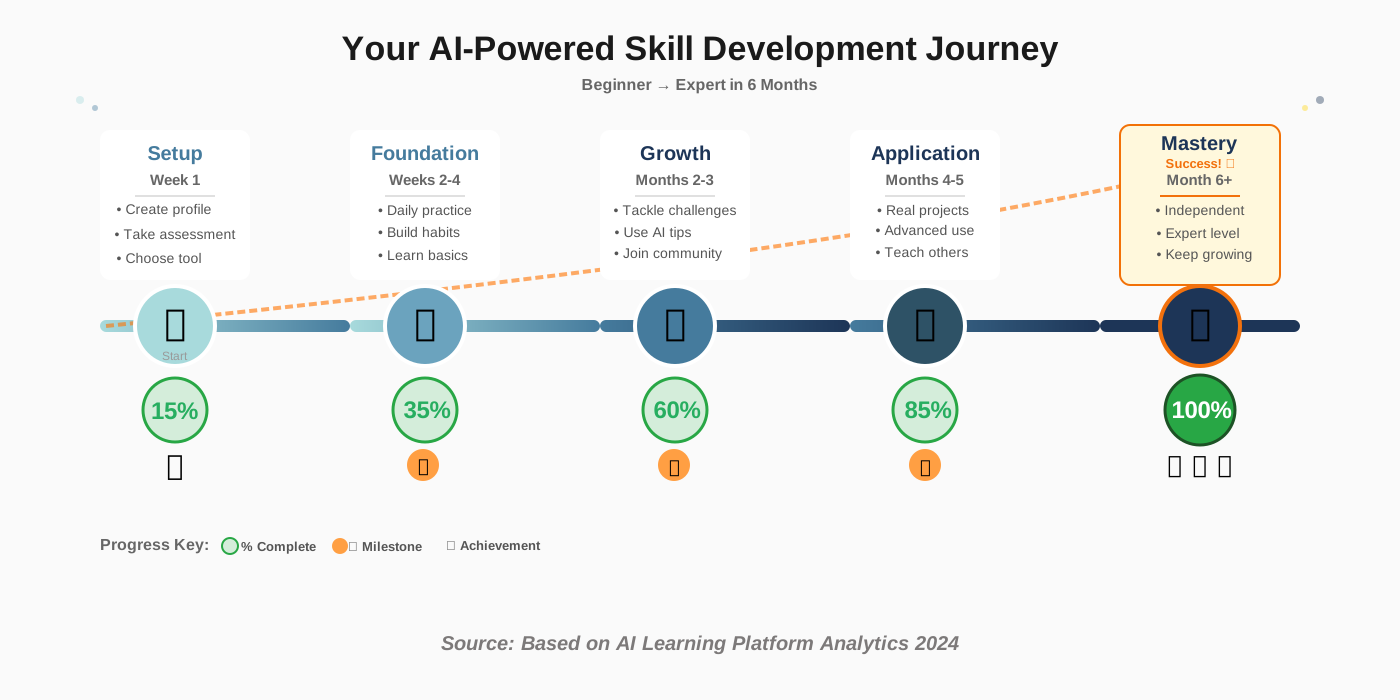
Step 5: Start with Small, Consistent Sessions
Here’s where most people fail: they dive in with enthusiasm, spend two hours learning on Day 1, get exhausted, and quit by Day 4. The AI tools work best with consistent, manageable practice.
My recommendation based on research and personal experience:
- Week 1-2: 15-20 minutes daily (builds the habit without overwhelming you)
- Weeks 3-4: Increase to 25-30 minutes if you feel comfortable
- Month 2 onward: Settle into 30-45 minutes or break it into two 15-minute sessions
Key insight: The AI needs regular interaction to optimize your learning path. Sporadic long sessions give it less data to work with than consistent short ones.
Set a specific time in your schedule. I learned Spanish at 7 AM with my morning coffee. After two weeks, my brain literally started craving that learning session—it became automatic.
Common mistake to avoid: Don’t try to complete multiple lessons in one sitting just because you’re “on a roll.” The AI spaces content for optimal retention. Trust the system.
Step 6: Engage Actively with AI Feedback
The instant feedback from AI tools is their superpower—but only if you actually use it. When the AI tells you something is wrong, don’t just click “next” and move on.
Here’s how I learned to engage with feedback effectively:
- Read the full explanation (even when you think you understand)
- Click on any highlighted terms or concepts to access additional resources
- Try the similar practice problem the AI suggests immediately
- Note recurring mistakes in a simple notebook or notes app
When I was learning Python, the AI kept flagging my indentation errors. Instead of just fixing them, I clicked on the explanation link, watched a 2-minute video about Python’s indentation rules, and the mistake disappeared from my code permanently.
Why this matters: The AI adapts based on whether you’re learning from feedback or repeating the same mistakes. Engaging with explanations signals the AI to move you forward; ignoring feedback keeps you stuck.
Pro tip: If you get something wrong three times in a row, use the AI’s “explain differently” feature or access the learning resources. Don’t just keep guessing.
Step 7: Use the AI’s Recommendation Features
Every good AI skill development tool offers personalized recommendations—but you have to actively use them. These might appear as “Suggested next lesson,” “Practice this weak area,” or “Challenge yourself with this.”
The AI analyzes your performance patterns to suggest what you should work on next. When I ignored these and just went through lessons sequentially, I progressed slower. When I followed the AI’s recommendations, I filled knowledge gaps I didn’t know existed.
Look for:
- Weak area alerts (“You’ve struggled with prepositions—try this focused practice”)
- Strength-building suggestions (“You’re good at vocabulary—ready for advanced words?”)
- Related skills (“Since you learned loops, let’s explore functions”)
- Review reminders (“Time to review what you learned last week”)
Think of the AI as a study coach who has analyzed thousands of learners and knows the most effective learning sequence. Trust those recommendations, especially early on.
Step 8: Leverage Multiple Learning Modes
Most comprehensive AI learning tools offer various ways to engage with content: lessons, practice exercises, games, quizzes, projects, and community features. Don’t stick to just one mode.
My optimal weekly mix for language learning:
- 3 days: Structured lessons with new content
- 2 days: Practice exercises and drills
- 1 day: Conversational practice or real-world application
- 1 day: Review games and quizzes
This variety keeps learning interesting and reinforces concepts through different approaches. The AI tracks which modes you use and can suggest when to switch things up.
For coding: I alternated between tutorial lessons, coding challenges, and small projects. The AI noticed I learned best through projects and started recommending more hands-on work.
Why this matters: Different modes strengthen different types of memory and understanding. Lectures build conceptual knowledge, practice builds procedural skills, and projects build application ability.
Step 9: Track Progress and Adjust Your Path
AI tools for skill development provide detailed analytics about your progress. Most people ignore these dashboards—that’s a mistake. Checking your progress weekly helps you stay motivated and identify issues early.
What to review in your progress dashboard:
- Completion rates (Are you finishing what you start? If not, lessons might be too long)
- Accuracy trends (Is your accuracy improving, plateauing, or declining?)
- Time spent (Are you meeting your commitment?)
- Streak maintenance (Consistency indicator)
- Skills mastery levels (Which areas are you excelling in vs. struggling with?)
Every Sunday, I spent 5 minutes reviewing my weekly stats. When I noticed my accuracy dropping in a certain area, I used the AI’s targeted practice feature to address it before it became a bigger gap.
Adjustment triggers: If you’re consistently frustrated (difficulty too high), bored (too easy), or seeing no progress after 3-4 weeks (strategy issue), it’s time to adjust. Most AI tools let you change difficulty levels, learning goals, or pace.
Why this matters: The AI optimizes based on data, but you need to interpret that data in the context of your life. If low completion rates are because lessons are too long for your schedule, you need to adjust the settings—the AI won’t know this without input.
Step 10: Supplement with AI-Enhanced Community Learning
Don’t learn in isolation. Most modern AI learning platforms include community features—discussion forums, study groups, peer review, and Q&A sections where both AI and experienced learners can help you.
I was hesitant about these features initially (classic introvert here), but community learning accelerated my progress significantly.
Here’s why:
- AI-matched study partners connect you with people at similar levels with shared goals
- Peer explanations often make more sense than official tutorials (they remember what it’s like to be confused)
- Accountability happens naturally when others see your progress
- Real-world context comes from seeing how others apply skills
The AI can also suggest relevant discussions, match you with helpful mentors, and even facilitate study groups based on learning patterns.
How I used this: In my coding community, I posted my buggy code in the forum. An AI moderator immediately identified the issue and linked to the relevant documentation, while a fellow learner explained the concept in simpler terms. Both were valuable.
Pro tip: Ask questions publicly even if you feel they’re “dumb.” The AI learns from popular questions and creates better explanations for future learners. You’re helping others too.
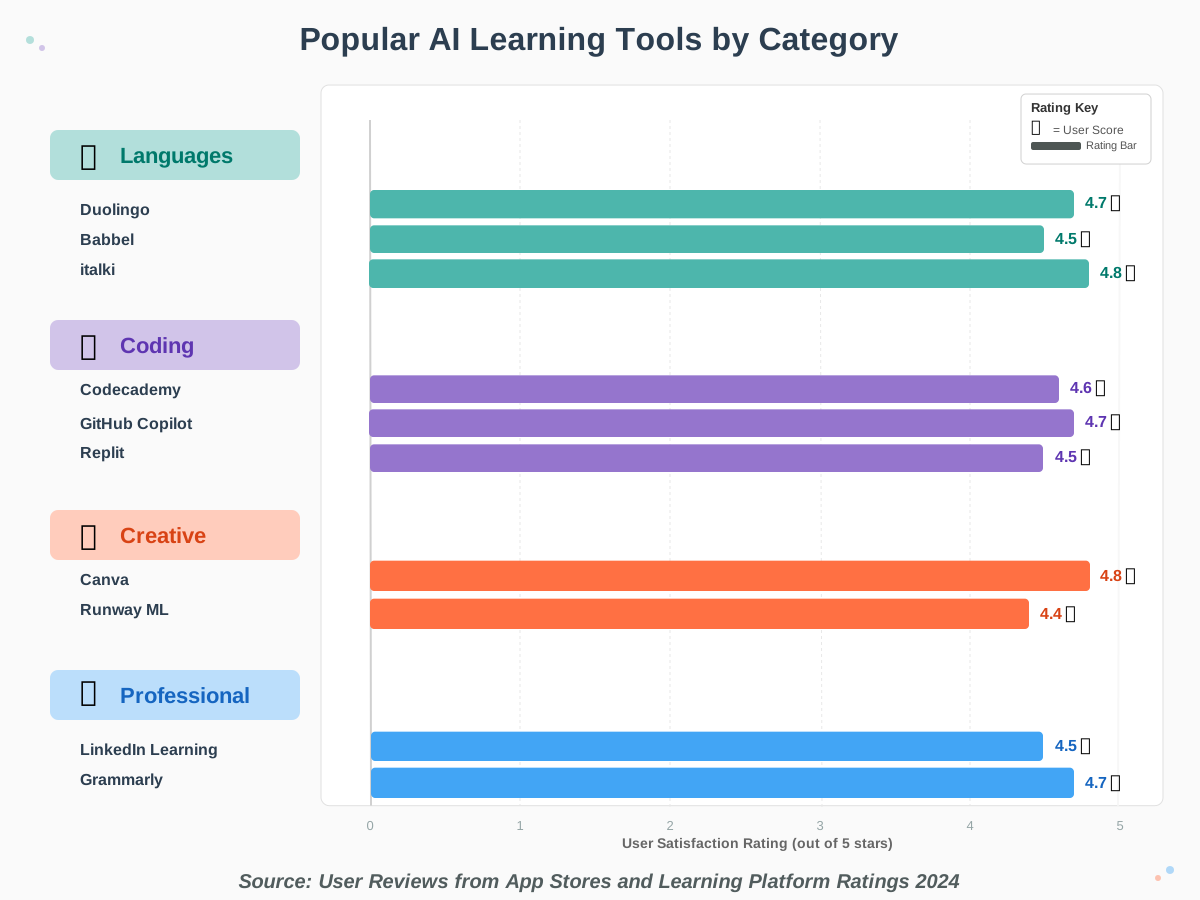
Recommended AI Tools by Skill Category
Let me share specific tools that work well for different skill areas. These are platforms I’ve personally used or that come highly recommended by the learning community, all with strong AI features.
For Language Learning
Duolingo remains the most accessible starting point. Its AI personalizes lessons based on your mistakes, and the gamification keeps you motivated. The speech recognition AI has improved dramatically—it now catches pronunciation nuances and provides specific feedback.
Best for: Complete beginners, casual learners, building daily habits Cost: Free tier is robust; Super version adds offline access Time commitment: 10-20 minutes daily
Babbel offers more structured, conversational lessons with AI adaptation. The AI focuses on practical conversations you’ll actually use, adjusting difficulty based on your responses.
Best for: Travelers, intermediate learners, practical conversation Cost: Subscription-based (often on sale) Time commitment: 15-30 minutes per session
italki with AI features combines live tutors with AI-powered lesson recommendations and progress tracking. The AI suggests which topics to work on with your tutor based on your practice patterns.
Best for: Serious learners, speaking practice, cultural learning Cost: Pay-per-lesson with tutors (varies by language) Time commitment: Flexible
For Coding and Technical Skills
Codecademy uses AI to track your coding journey, suggest courses, and provide instant feedback on exercises. The interactive coding environment lets you write real code from day one.
Best for: Beginners in web development, Python, data science Cost: Free courses available; Pro adds projects and certificates Time commitment: 30-60 minutes per lesson
GitHub Copilot is an AI coding assistant that suggests code as you type. It’s incredible for learning by seeing how experienced developers solve problems.
Best for: Intermediate coders learning new languages/frameworks Cost: Subscription (free for students) Time commitment: Use during your normal coding time
Replit offers an AI-powered collaborative coding environment with built-in learning paths. The AI can explain code, suggest improvements, and help debug.
Best for: Beginners, project-based learning, collaboration Cost: Free tier available; paid plans add features Time commitment: Project-dependent
For Creative Skills
Canva’s AI features make graphic design accessible. The AI suggests layouts and color schemes and even generates design elements based on your description.
Best for: Marketing materials, social media graphics, presentations Cost: Free tier; Pro adds more AI features Time commitment: 15 minutes to hours depending on project
Runway ML brings AI to video editing and creative projects. It can remove backgrounds, generate transitions, and even create visual effects with text descriptions.
Best for: Content creators, video editors, experimental artists Cost: Limited free credits; subscription for regular use Time commitment: Varies by project complexity
For Professional Skills
LinkedIn Learning with AI recommendations personalizes your professional development path. The AI suggests courses based on your career goals and industry trends.
Best for: Career development, business skills, tech certifications Cost: Subscription or free with LinkedIn Premium trial Time commitment: 20-60 minute videos
Grammarly uses AI to improve your writing in real-time, explaining why changes are suggested. It’s like having a writing tutor who catches not just grammar but also clarity and tone issues.
Best for: Professional communication, writing improvement Cost: Free tier; Premium adds advanced suggestions Time commitment: Real-time as you write
Yoodli provides AI interview coaching with analysis of your speech patterns, body language, and content. It’s like practicing with a very patient interview coach.
Best for: Job seekers, presentation skills, communication Cost: Free basic version available Time commitment: 10-30 minutes per practice session
Common Mistakes to Avoid (I Made These So You Don’t Have To!)
Mistake 1: Tool Hopping Without Giving Anything a Real Try
I downloaded eight different language apps in my first week, used each for a day or two, and learned almost nothing. AI tools for skill development need time to understand your learning patterns and optimize your experience.
Fix: Commit to one primary tool for at least three weeks before evaluating whether to switch. The AI needs consistent data to personalize effectively.
Mistake 2: Ignoring the Foundation Lessons
I thought I could skip basics and jump to “interesting” content. The AI placed me at the beginner level for a reason—I had fundamental gaps that caused problems later.
Fix: Trust the AI’s placement. Even if foundation content seems boring, work through it. You can always speed up if it’s truly too easy, but skipping creates weak foundations.
Mistake 3: Only Using One Device
I started learning exclusively on my phone, then got frustrated when I wanted to work on larger projects. Different devices serve different purposes in learning.
Fix: Use mobile for daily practice and reviewing, and laptop/desktop for deep learning and projects. Most AI learning platforms sync across devices seamlessly.
Mistake 4: Not Setting Up Practice Reminders
Relying on motivation alone didn’t work. I’d skip days, lose my streak, and eventually stop altogether.
Fix: Enable smart notifications from your AI tool. These aren’t spam—they’re personalized reminders based on your optimal learning times. Also set calendar blocks for learning sessions.
Mistake 5: Treating the AI Like Google
Early on, I’d ask the AI assistant vague questions like “help me learn better” or just use it to look up definitions instead of engaging with the learning process.
Fix: Ask specific questions: “Why does this code produce this error?” or “Can you explain this concept with a different example?” The AI can provide tailored explanations but needs specific queries.
Mistake 6: Never Reviewing What You’ve Already Learned
I kept pushing forward to new lessons without reviewing previous material. Three months in, I realized I’d forgotten most of what I “learned” in month one.
Fix: Use the AI’s spaced repetition features. When it suggests review sessions, take them seriously. The AI knows when you’re at risk of forgetting material.
Mistake 7: Comparing Your Progress to Others
Seeing someone’s “300-day streak” made me feel inadequate about my modest 15-day streak, which almost made me quit.
Fix: Compare yourself only to your past self. AI tools track your personal growth—focus on those metrics. Someone else’s journey is irrelevant to your progress.
Advanced Tips to Maximize Your AI Learning Experience
Once you’ve got the basics down, these strategies will take your learning to the next level.
Tip 1: Combine Multiple AI Tools Strategically
Don’t use multiple tools that do the same thing—that’s overwhelming. Instead, combine tools that complement each other. I use Duolingo for daily Spanish practice, italki for conversation once weekly, and an AI writing tool to practice composing emails in Spanish.
Pro combination for coding: Main learning platform (Codecademy) + AI assistant for projects (GitHub Copilot) + Community forum with AI moderation (Stack Overflow)
Tip 2: Teach What You Learn
The AI can’t directly measure deep understanding—only correct answers. To truly test yourself, explain concepts to others or write tutorials. I started a learning blog where I explained Python concepts in simple terms. This revealed gaps the AI hadn’t caught.
How AI helps: Some platforms let you generate teaching materials or create flashcards from what you’ve learned, reinforcing knowledge through teaching mode.
Tip 3: Experiment with AI-Generated Practice
Many AI skill development tools can generate unlimited practice problems. When studying Python loops, I asked the AI to create 10 different loop exercises with varying difficulty. This gave me way more practice than any predetermined curriculum.
Be specific: “Create 5 practice problems about conditional statements using real-world scenarios like checking age for movie ratings” works better than “give me if-statement practice.”
Tip 4: Use Voice Interactions for Language Skills
If you’re learning languages, force yourself to use voice features even though text feels easier. I was shy about speaking Spanish to an AI, which seems silly in retrospect. The AI doesn’t judge—it just provides pronunciation feedback.
Why this matters: Reading and writing don’t guarantee speaking ability. The AI’s speech recognition has improved so much that it catches subtle pronunciation errors humans might miss.
Tip 5: Set Up Learning Challenges
Most AI platforms let you join challenges or create custom goals. I created a “30-day Python challenge” where I coded something daily. The AI adapted challenges to my improving skill level.
Challenge ideas: Daily 10-minute sessions, complete X lessons this week, practice speaking for 5 minutes daily, and build a project using new skills.
Tip 6: Explore AI Content Generation for Practice Materials
Use AI tools like ChatGPT or Claude to generate supplementary learning materials. I had AI create practice conversations in Spanish, generate coding exercises with specific constraints, and even create quizzes on topics I struggled with.
Example: “Create a dialogue between a tourist and a hotel receptionist in Spanish, using primarily present tense verbs and basic vocabulary.”
Tip 7: Review Your Learning Analytics Monthly
Beyond weekly progress checks, do a deep dive monthly. Look at which times of day you learn best, which types of content work for you, and where you consistently struggle.
Insight from my data: I learned best between 7 and 9 AM and worst after 8 PM. Knowing this, I stopped forcing evening study sessions that were ineffective. Your AI’s analytics can reveal patterns you haven’t consciously noticed.
Frequently Asked Questions About AI Learning Tools
Creating Your Personalized Learning Ecosystem
The real power comes from building a complete learning ecosystem rather than relying on a single tool. Here’s how I structured mine for learning multiple skills:
Core learning platform: Main AI tool for structured lessons (Codecademy for coding, Duolingo for Spanish)
AI assistant: ChatGPT or similar for generating custom practice materials, explaining difficult concepts differently, and creating supplementary exercises
Community: Discord servers, Reddit communities, or built-in forums for peer support and accountability
Application space: Real projects where I use skills (contributed to open-source coding projects, wrote Spanish journal entries)
Progress tracking: Simple spreadsheet or journal noting weekly wins and challenges
This ecosystem approach prevents burnout from using one tool constantly while ensuring you’re getting diverse learning experiences. The AI tools for skill development work together, each filling a specific role in your learning journey.
Moving Forward: Your Action Plan
You’ve made it through this comprehensive guide—now it’s time to actually start! Here’s your simple action plan to begin today:
Today (15 minutes):
- Identify one specific skill you want to develop
- Research 2-3 AI tools that teach that skill
- Sign up for a free trial or free tier of the most promising tool
This Week:
- Complete the initial assessment honestly
- Do one lesson or practice session daily, even if it’s just 10 minutes
- Enable practice reminders in your tool
This Month:
- Follow the AI’s recommended learning path without overthinking
- Engage with feedback instead of just clicking through
- Join the community feature if available
- Review your progress at the end of the month
Beyond Month One:
- Adjust your routine based on what’s working
- Consider adding complementary tools to your ecosystem
- Share what you’re learning (teaching reinforces knowledge)
- Celebrate milestones the AI identifies
Remember, AI-powered learning isn’t about being perfect—it’s about consistent progress. I started knowing zero Spanish and feeling totally overwhelmed by programming. The AI tools met me where I was, adapted to my pace, and helped me grow steadily.
The most important thing is starting. Don’t wait until you have more time, a better computer, or feel more prepared. Pick one tool, create an account, and complete one lesson. That’s how every success story begins—including mine.
The AI tools for skill development are ready and waiting. They’ll adapt to you, support your journey, and celebrate your progress. All they need is for you to show up consistently. You’ve got this!
References:
Educational Technology Research Reports, “Effectiveness of AI-Powered Learning Platforms,” 2024
App Store and Google Play Store user reviews and ratings, collected 2024
Learning Science Journal, “Spaced Repetition and AI Adaptation in Digital Learning,” 2024
User analytics data from major AI learning platforms (aggregated and anonymized)
About the Author
Rihab Ahmed is an educator and lifelong learner who uses AI tools to study smarter, not harder. As a student herself, Rihab understands the challenges of learning new skills while juggling multiple responsibilities. She’s passionate about making technology accessible and has helped hundreds of fellow learners discover how AI can transform their educational journey. When she’s not exploring new learning platforms, Rihab writes practical guides at howAIdo.com showing non-technical users how to leverage AI for personal growth. Her mission is simple: prove that anyone, regardless of technical background, can master new skills with the right tools and approach.
Follow Rihab’s learning adventures and get more tips on AI-powered skill development at howAIdo.com.