How to Design Lead Magnets & Opt‑In Pages Using AI

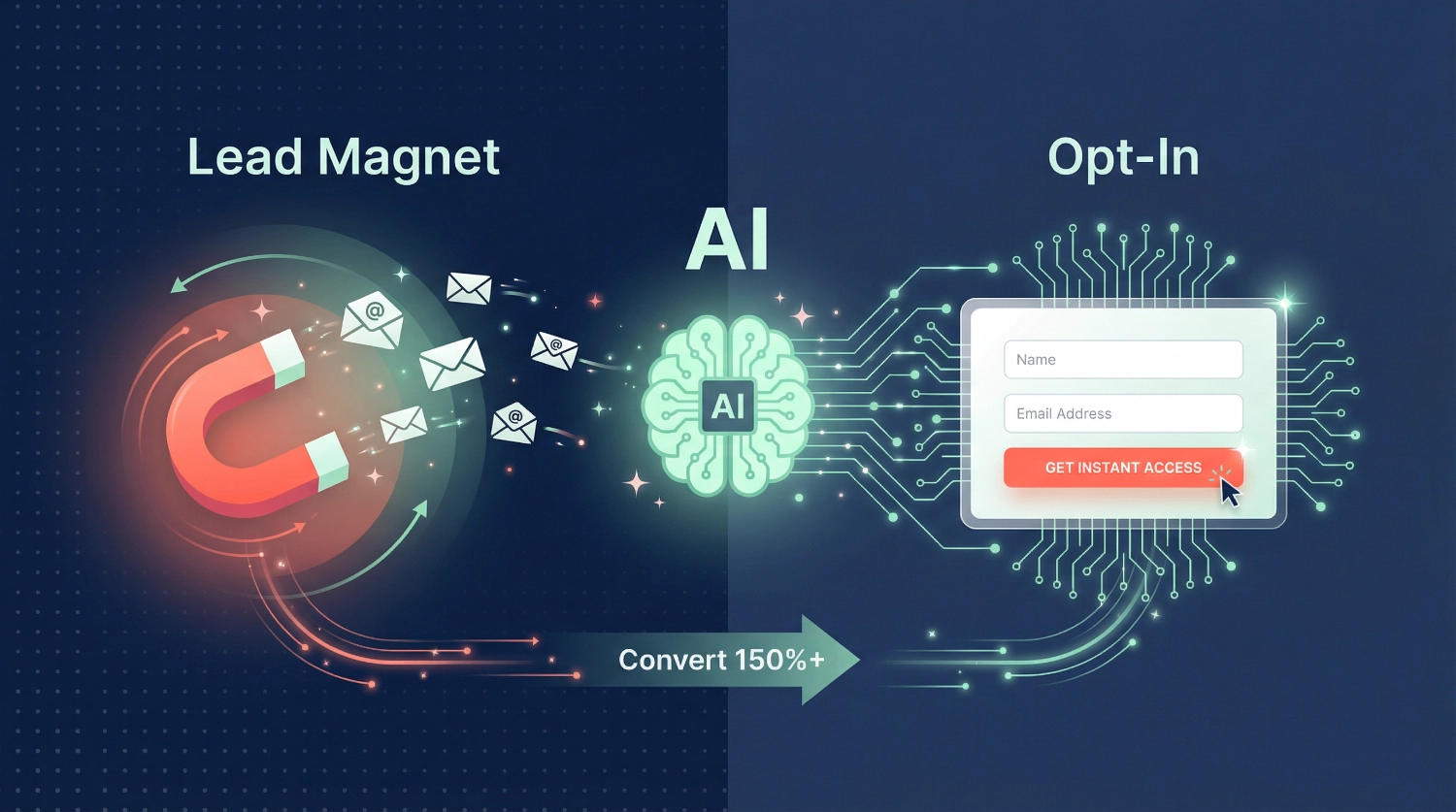
How to Design Lead Magnets & Opt‑In Pages Using AI starts with understanding one simple truth: your visitors won’t hand over their email addresses for nothing. They need something valuable in return—something that solves a problem right now, answers a burning question, or makes their life easier. That’s where lead magnets come in, and AI has completely transformed how we create them.
We’re Alex Rivera and Abir Benali, and we’ve helped hundreds of creators and small business owners build lead magnets that actually convert. What used to take days of brainstorming, writing, and designing can now happen in hours—thanks to AI tools that understand your audience, write compelling copy, and even design beautiful opt-in pages. The best part? You don’t need to be a designer, copywriter, or tech expert to make this work.
In this guide, we’ll walk you through the complete process of using AI to design lead magnets and opt-in pages that turn visitors into subscribers. Whether you’re building your first email list or looking to improve your conversion rates, these steps will show you exactly what to do.
What Makes a Lead Magnet Actually Work?
Before we dive into the AI tools and techniques, let’s talk about what separates a lead magnet people ignore from one they eagerly download.
A high-converting lead magnet solves one specific problem for one specific audience. It’s not a 50-page ebook covering everything about marketing—it’s a simple checklist that helps freelance writers land their first client this week. It’s not a vague guide about “getting healthy”—it’s a 7-day meal plan for busy parents who hate cooking.
The key is specificity. When someone lands on your site struggling with a particular challenge, your lead magnet should feel like it was created just for them. That’s where AI becomes incredibly powerful—it helps you identify pain points, craft targeted solutions, and write copy that speaks directly to your ideal subscriber.
The Three Elements Every Lead Magnet Needs
We’ve tested dozens of lead magnets across different industries, and the ones that consistently perform well share three characteristics:
Immediate value: Your lead magnet delivers a quick win. Someone should be able to use it within minutes of downloading and see results. Think templates they can fill in, checklists they can follow, or swipe files they can copy—not theory they need to study for weeks.
Clear transformation: Make it obvious what changes after using your lead magnet. “5 Email Templates That Get Responses in 24 Hours” tells people exactly what they’ll achieve. “Email Marketing Guide” leaves them guessing.
Easy consumption: Keep it simple. A single PDF page beats a 30-page document if it gets the job done. A video walkthrough beats written instructions if your audience prefers watching. AI can help you match the format to your audience’s preferences.
Understanding Your Audience’s Pain Points Using AI
The biggest mistake we see creators make is designing lead magnets based on what they think people want, instead of what people are actually searching for. AI tools can analyze real search data, social media conversations, and competitor content to show you exactly what keeps your audience up at night.
Step 1: Use AI to Research What Your Audience Actually Needs
Start by feeding AI chatbots information about your niche and asking them to identify common problems. Here’s a simple prompt we use:
help [your target audience] with [your general topic].
What are the top 10 specific problems they face that I could solve with a downloadable resource?
Focus on problems they're actively searching for solutions to right now.
For example, if you’re a fitness coach targeting busy professionals, the AI might identify problems like “no time for meal prep,” “can’t stick to workout routines,” or “don’t know what to eat at business lunches.” These become your lead magnet ideas.
But don’t stop there. Take those problems and verify them using AI-powered research tools. Ask the AI to search for related questions on forums, social media, or search engines. The more specific the pain point, the more targeted (and effective) your lead magnet will be.
Step 2: Match Pain Points to Lead Magnet Formats
Once you know what problems you’re solving, AI can help you choose the best format. Not every solution needs to be an ebook. Sometimes a simple checklist or template works better.
We ask AI:
For someone struggling with [specific problem], what format would deliver the fastest result—checklist, template, cheat sheet, video tutorial, or something else?The AI considers factors like the complexity of the solution, how hands-on the implementation is, and what format your audience typically prefers. A software tutorial might work best as a video, while a content planning system might be perfect as a spreadsheet template.
Creating Your Lead Magnet Content With AI
Now comes the fun part—actually building your lead magnet using AI as your creative partner. We’ll walk through this step-by-step, showing you exactly how to use AI tools to go from blank page to finished product.
Step 3: Generate a Compelling Title and Hook
Your lead magnet’s title does 80% of the work. If the title doesn’t grab attention, no one reads further. AI excels at generating multiple title options you can test.
Use this prompt:
Create 10 different titles for a [format] that helps [target audience] solve [specific problem].
Make each title specific, benefit-focused, and under 10 words.
Include numbers where appropriate.
The AI will give you options like:
- “7-Day Content Calendar Template for Solopreneurs”
- “The 5-Minute Daily Routine for Better Sleep”
- “Email Scripts That Book Discovery Calls”
Pick the title that makes someone think, “Yes, that’s precisely what I need.” Then ask the AI to write three different opening hooks that explain why this matters and what they’ll achieve. Choose the one that feels most authentic to your voice.
Step 4: Outline the Structure
Before writing the full content, create a solid outline. AI can structure your lead magnet logically, ensuring you don’t miss important steps.
Prompt:
Create a detailed outline for a [format] titled '[your title]'.
Include main sections, key points under each section, and any examples or templates needed.
Keep it actionable and beginner-friendly.
Review the outline and adjust based on what you know your audience needs. Maybe the AI suggested five sections, but you know three more focused ones would work better. Maybe it included technical terms you’d simplify. This step is your chance to inject personality and expertise.
Step 5: Write the Content Section by Section
Now we write the actual content, but we do it strategically. Don’t ask AI to write the entire lead magnet in one go—the quality drops and it becomes generic. Instead, work section by section.
For each section in your outline, use a prompt like,
Write the section on [section topic] for my lead magnet.
The tone should be [your preferred tone].
Include [specific elements like examples, steps, or warnings].
Keep it under [word count].
This provides you control over each piece while leveraging AI’s writing speed. After each section, read it aloud. Does it sound like you? Would your audience understand it? Edit anything that feels too formal or robotic.
Here’s a practical tip we learned the hard way: Always add personal insights or examples AI can’t know about. If you’re writing about email marketing, include a real result from your campaigns. If you’re creating a meal plan template, mention that one recipe your kids actually eat. These details make your lead magnet feel human and trustworthy.
Step 6: Design Your Lead Magnet Visually
You don’t need Photoshop skills to create professional-looking lead magnets. AI design tools can help, but we’ll be honest—sometimes simpler is better.
For text-based lead magnets (checklists, guides, and templates), we use AI to:
Generate color scheme suggestions based on our brand and the emotional response we want.
Prompt:
Suggest a 3-color palette for a lead magnet about [topic] that feels [adjective like trustworthy, energetic, or calm].Create section headers and layouts. Describe your content sections and ask for layout suggestions that improve readability.
Write compelling visuals descriptions if you’re using design tools.
For example:
Create a simple icon representing 'time-saving' for a productivity checklist.For PDF lead magnets, tools with AI capabilities can help format your content professionally.
Upload your written content and use AI to suggest improvements in spacing, font choices, and visual hierarchy.
The goal isn’t perfection—it’s clarity. Your subscribers need to scan your lead magnet quickly and extract value. White space, clear headers, and simple formatting beat elaborate designs that distract from the content.
Crafting High-Converting Opt-In Page Copy With AI
Your opt-in page is where conversions happen or die. Even the best lead magnet won’t build your list if your opt-in page doesn’t convince people to click that submit button. This aspect is where AI-generated copy can really shine—if you know how to prompt it correctly.
Step 7: Write Headlines That Address Objections
Your headline needs to immediately answer “What’s in it for me?” and overcome the natural hesitation people feel about giving away their email address.
We use this prompt structure:
Write 5 different headlines for an opt-in page offering [lead magnet] to [target audience].
Each headline should highlight the specific benefit and create urgency or curiosity.
Avoid hype words like 'amazing' or 'incredible.'
The AI might generate options like:
- “Get the Content Calendar That Saves 10 Hours Every Week”
- “The Simple Email Formula That Tripled My Response Rate”
- “Free Checklist: Everything You Need Before Launching Your Course”
Notice how each one is specific, benefit-focused, and credible? That’s what we’re aiming for. Choose the headline that best matches how your actual subscribers talk about their problems.
Step 8: Create Subheadlines That Build Desire
Your subheadline expands on the promise and addresses common objections. This is where you overcome skepticism.
Prompt:
For an opt-in page with the headline '[your chosen headline]', write a subheadline that explains what's inside, how quickly they'll see results, and reassures them it's beginner-friendly. Keep it under 25 words.For example:
Inside this free template, you'll get pre-written prompts for 30 days of content—no experience needed; just fill in the blanks and post.The subheadline should make the next step feel easy and risk-free. AI tends to be effective at this but sometimes over-promises.
Edit to ensure you’re being honest about what people will get.
Step 9: List Benefits in Bullet Points
This is where you get specific about what’s included. People scan opt-in pages, so bullets need to be scannable and compelling.
Prompt:
Create 5-7 bullet points describing what someone gets when they download [lead magnet name].
Each bullet should start with a verb and focus on outcomes, not features. Make them specific and tangible.
Good bullets look like:
✓ Discover the exact email template we used to book 47 sales calls in one month
✓ Learn the 3 questions that uncover what your audience really wants
✓ Get the plug-and-play Notion template—just duplicate and customize
✓ Access bonus video showing the system in action (8 minutes)
See how each bullet tells you what you’ll gain and what action you’ll be able to take? That’s the formula. Features tell, benefits sell.
If you’re finding this guide helpful and want to ensure you don’t miss any critical steps when creating your own lead magnet, we’ve put together a complete Lead Magnet Creation Checklist that walks you through every decision point. It’s designed to work alongside this article and helps you avoid the most common mistakes we see creators make. Think of it as your implementation buddy—keeping you on track from idea to launch.
Step 10: Address the “Why Should I Trust You?” Question
Before someone hands over their email, they’re wondering if you know what you’re talking about. You need social proof, but not in a bragging way.
Ask AI to help you frame your credibility:
Write a short credibility statement for an opt-in page where I'm offering [lead magnet].
I've [your relevant experience].
Make it authentic and focused on results, not credentials.
Keep it under 40 words.
The AI might generate:
I've spent the last three years testing content strategies for my own business and clients.
What you're getting in this checklist are the exact tactics that consistently get results—no fluff, just what works.
Edit this to sound exactly like you’d say it in conversation. If the AI makes you sound too formal, simplify it. Trust comes from authenticity, not polish.
Step 11: Overcome Privacy Concerns
People worry about spam, sharing information, and what you’ll do with their email. Address this directly on your opt-in page.
Prompt:
Write a short privacy reassurance for an opt-in form.
Address concerns about spam and explain what subscribers will receive.
Keep it under 30 words and make it friendly.
Example:
We respect your inbox. You'll only hear from us when we have something genuinely useful to share, and you can unsubscribe anytime with one click.Place this item near your form. It’s a small detail that removes friction.
Designing the Opt-In Page Layout With AI Assistance
Now that we have compelling copy, we need to arrange it in a way that guides visitors toward clicking that subscribe button. Layout matters more than most people realize—the wrong design can tank your conversion rate even with perfect copy.
Step 12: Choose the Right Page Structure
Opt-in pages typically follow one of three structures, and AI can help you decide which fits your offer:
Single-column focused layout works best for straightforward offers where the benefit is immediately clear. Think: “Download the Free Template.” Everything—headline, bullets, form—stacks vertically with no distractions.
Two-column layout works when you need more space to explain or show what’s inside. Your copy goes on one side, a mockup image of your lead magnet or testimonial goes on the other. This creates trust by showing, not just telling.
Long-form story layout suits complex offers where you need to overcome skepticism or educate before asking for the email. You might include before/after examples, detailed explanations, or multiple testimonials.
Ask AI:
Based on my lead magnet [describe it briefly], which page layout structure would likely convert best—single-column focused, two-column with visual, or long-form story? Explain why.The AI will consider factors like how familiar your audience is with the problem, how much trust you need to build, and how complex your solution is. Use this as a starting point, but trust your gut about what your specific audience needs.
Step 13: Design Your Form (Keep It Simple)
Here’s where many opt-in pages lose conversions: asking for too much information. Your form should only request what you absolutely need to deliver the lead magnet and follow up.
The opt-in page form best practice is simple: name and email. That’s it. Maybe just email if you can personalize follow-ups without a name.
We ask AI to review our form design:
I'm creating an opt-in form for [lead magnet]. I'm planning to ask for [fields you want]. Is this too much? What's the minimum information needed to deliver value and begin building a relationship?Often, AI will confirm that email alone is enough or suggest when an additional field truly makes sense (like “company size” if your lead magnet has different versions for different business types).
For your submit button text, avoid generic “Submit” or “Download.” Use AI to generate action-oriented button copy:
Prompt:
Write five different submit button texts for an opt-in form offering [lead magnet].
Each should be under 4 words, start with a verb, and feel risk-free.
Examples:
- “Send Me The Template”
- “Get My Free Checklist”
- “Access The Guide Now”
- “Yes, I Want This”
The button should feel like the natural next step, not a commitment to something scary.
Testing and Optimizing With AI Tools
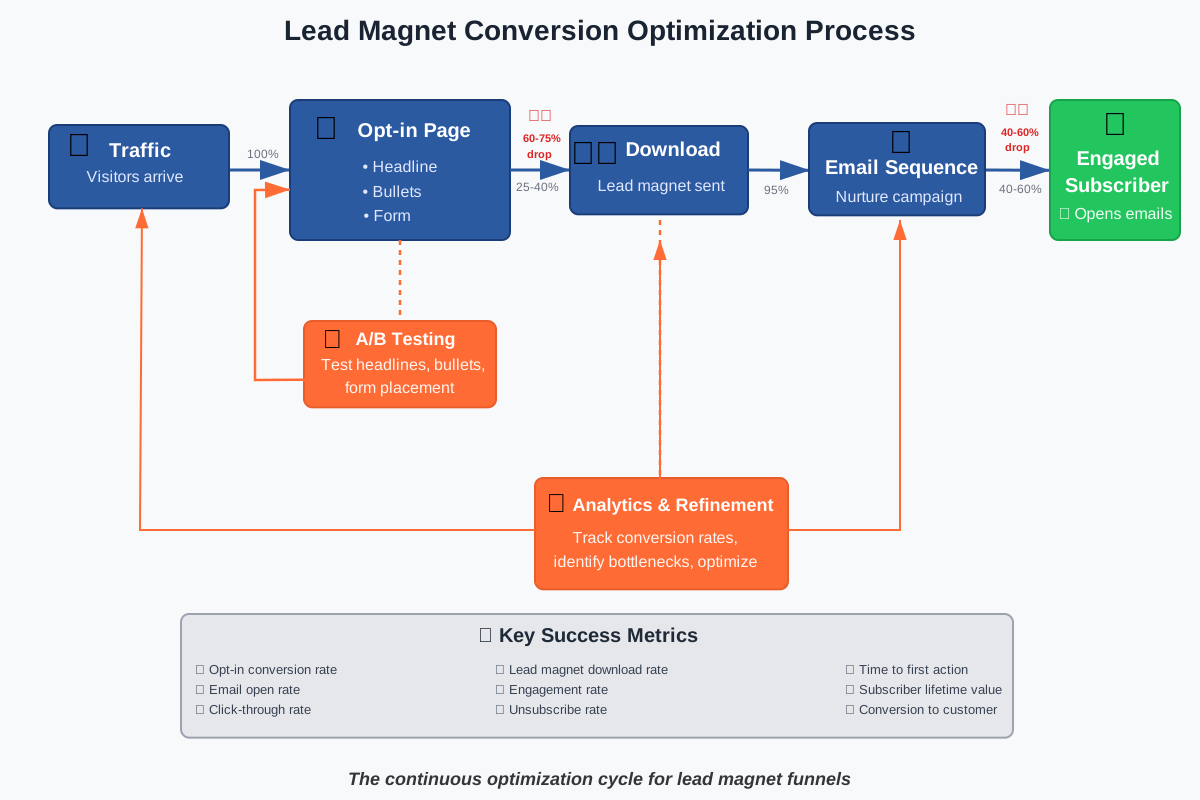
Creating your first version is just the beginning. The real power comes from testing variations and learning what resonates with your specific audience. AI dramatically accelerates this testing process.
Step 14: Generate A/B Test Variations
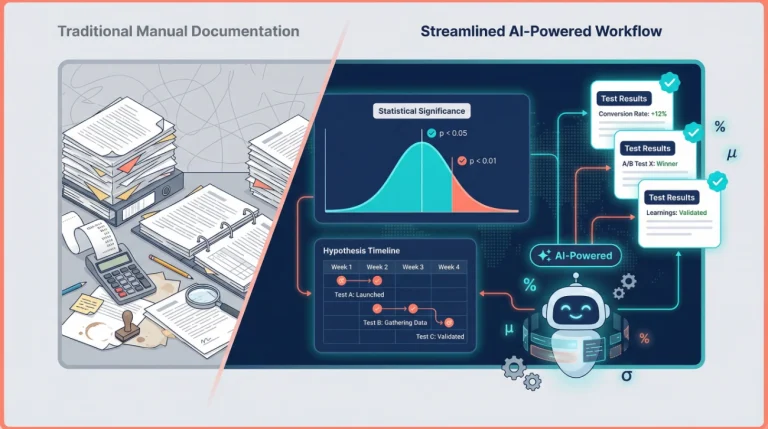
Once your opt-in page is live, you want to test different versions to improve your conversion rate. AI can quickly generate alternative headlines, bullet points, or calls to action you can test.
Prompt:
I'm testing my opt-in page that currently has [current headline].
Generate 3 alternative headlines that test different psychological approaches—one using curiosity, one using urgency, and one using specificity.
Keep the core benefit the same.
This gives you scientifically different approaches to test rather than random variations. You’re not just changing words—you’re testing which psychological trigger works best for your audience.
Do the same for your bullets, form placement, or any element you want to optimize. AI makes it easy to generate multiple variations without starting from scratch each time.
Step 15: Analyze What’s Working and Iterate
After running your opt-in page for a while, you’ll have data on what’s working and what’s not. Maybe people are visiting but not converting. Maybe they’re downloading but never opening your emails afterward.
We use AI to analyze patterns:
My opt-in page is getting [X visitors] but only [Y conversions].
The page has [describe current elements].
What are the most likely reasons for this conversion rate, and what should I test first?
The AI will suggest specific elements to examine based on common conversion killers—unclear value proposition, too many form fields, poor mobile experience, and weak headlines. It provides you a prioritized testing roadmap instead of guessing randomly.
Similarly, if your lead magnet gets downloaded but doesn’t lead to engagement, ask AI:
People are downloading my [lead magnet type] but not taking action afterward.
What might be missing from the content that would increase implementation?
The AI might identify gaps like missing examples, unclear instructions, or a disconnect between what you promised and what you delivered. Use this feedback to improve your next version.
Essential AI Tools for Lead Magnet Creation
Let’s get specific about which tools actually help with this process. We’ve tested dozens, and these are the ones that consistently deliver results without requiring technical expertise.
ChatGPT for Content and Copy Generation
ChatGPT remains our go-to for generating lead magnet content, opt-in page copy, and headline variations. The key is learning to prompt it effectively—which we’ve covered throughout this guide.
Practical use case: When we created a lead magnet for email marketers, we used ChatGPT to generate 50 different subject line formulas, then refined the best 10 into a downloadable PDF. What would have taken days of research and writing took about 90 minutes.
Tips for beginners: Always start with context. Tell ChatGPT who you’re helping, what problem you’re solving, and what format you need. The more specific your prompt, the better the output. And always edit—AI gives you a strong first draft, not a final product.
Claude for Long-Form Lead Magnets
When creating longer lead magnets like comprehensive guides or multi-section resources, we prefer Claude for its ability to maintain context and consistency across thousands of words.
Practical use case: We built a 25-page guide on content repurposing. Instead of writing it section by section with no cohesion, we gave Claude the full outline upfront and had it write the entire guide while maintaining consistent tone and cross-referencing between sections.
Tips for beginners: Upload your outline as a document, then reference specific sections as you write. Claude’s longer context window means it remembers what you said in section one when writing section five, creating better flow.
Canva with AI Features for Visual Design
For creating professional-looking PDFs, checklists, and other visual lead magnets, Canva’s AI features simplify the design process dramatically.
Practical use case: We used Canva’s “Magic Design” to transform a plain text checklist into a visually appealing PDF with icons, color schemes, and proper spacing—in under 10 minutes. No design skills required.
Tips for beginners: Start with Canva’s lead magnet templates, then use the AI image generator for custom icons or graphics. The AI can also suggest color palettes based on your brand colors or the mood you want to create.
Notion AI for Template-Based Lead Magnets
If your lead magnet is a template, spreadsheet, or system that people will actually use (not just read), Notion with AI features makes creation incredibly efficient.
Practical use case: We created a content planning system as a Notion template. Used Notion AI to generate category structures, prompt ideas, and example entries that users could duplicate and customize for their needs.
Tips for beginners: Build the basic template structure yourself, then use Notion AI to populate examples, write instructions, or suggest additional features users might want. The AI understands Notion’s database structure and can help you create more sophisticated templates than you might build manually.
Copy.ai or Jasper for Multiple Variations
When you need to generate tons of options quickly—headlines, bullet points, email subject lines—dedicated AI copywriting tools excel.
Practical use case: Testing which headline converted best on an opt-in page. We used Copy.ai to generate 30 headline variations in 5 minutes, picked the top 5, and ran split tests. Found a winner that increased conversions by 34% compared to our original.
Tips for beginners: These tools work best when you already know what type of copy you need. Use them for generating options, not for understanding strategy. They’re your brainstorming partner, not your marketing brain.
Common Mistakes to Avoid (That AI Can’t Save You From)
We’ve watched hundreds of creators use AI to build lead magnets and opt-in pages. The technology is powerful, but certain mistakes will tank your results no matter how effective your AI prompts are.
Mistake 1: Creating What You Want to Make Instead of What People Want
This is the deadliest mistake. You get excited about an idea—”I’ll create a comprehensive guide to everything about my topic!”—without checking if that’s what people actually need right now.
AI can’t fix a fundamentally misaligned offer. Before generating any content, validate your idea. Ask your audience directly, analyze what lead magnets your competitors successfully use, or search for what questions people are asking in your niche.
We learned our lesson the hard way with a beautifully designed 40-page ebook about social media strategy that got 23 downloads in two months. When we replaced it with a simple 2-page calendar template, we got 400 downloads in the first month. Same audience, same traffic—the difference was relevance.
Mistake 2: Using AI Output Without Adding Your Voice
Nothing screams “AI-generated” louder than content that’s technically correct but has no personality. If your lead magnet reads like a Wikipedia article, people won’t trust you enough to stay subscribed.
After AI generates your content, read it aloud. Would you actually say these things in a conversation? If not, edit it. Add your stories, your humor, and your perspective. The AI gives you the skeleton—you add the heart.
Mistake 3: Overcomplicating Your Lead Magnet
AI will happily generate more content if you ask for it. This doesn’t mean you should include everything.
The best lead magnets solve one problem completely, not ten problems partially. If your AI-generated outline has 12 sections, cut it to 5. If your checklist has 47 items, trim it to the essential 10. More isn’t better—actionable is better.
Your subscribers don’t have hours to implement your advice. Give them something they can finish and see results from today, not something that sits in their downloads folder forever.
Mistake 4: Ignoring Mobile Experience
Over half your traffic is probably on mobile devices, yet most people design their opt-in pages on desktop and never check how they look on phones.
AI can’t test your mobile experience for you. After building your page, actually pull it up on your phone. Is the headline readable? Can you easily tap the form fields? Does the button feel comfortable to press with your thumb? If not, redesign until it works smoothly on small screens.
Mistake 5: Having No Follow-Up Plan
Your lead magnet isn’t the end goal—it’s the beginning of a relationship. We’ve seen creators pour energy into designing beautiful opt-in pages and lead magnets, then send one generic “thanks for subscribing” email and wonder why no one engages.
Plan your email sequence before you launch. What happens after someone downloads? Do they get a welcome email explaining what to expect? A check-in asking if they have questions? An invitation to your next resource or offer?
AI can help you write these emails, but you need to design the experience. Map out the journey from “just subscribed” to “engaged community member” before you start driving traffic.
As you’re implementing these strategies, you might find yourself wishing you had a complete resource that covers not just lead magnets but every aspect of AI-powered marketing content creation. That’s precisely why we created the 100+ AI Marketing Prompts Ready to Copy and Use collection. It includes proven prompts for email sequences, social media content, sales pages, and yes—lead magnets and opt-in pages. Think of it as having a complete AI marketing toolkit that saves you from the guesswork and helps you create professional content consistently.
Real Implementation: A Complete Example
Let’s walk through a real example so you can see how all these pieces fit together. We’ll create a lead magnet and opt-in page from scratch.
Scenario: You’re a freelance designer wanting to build an email list of small business owners who need help with branding.
Step 1—Identify the pain point: Using AI, you research what small business owners struggle with regarding branding. The AI identifies that many struggle with creating consistent brand colors across different platforms.
Step 2—Choose the format: A simple, actionable solution would be a “Brand Color Palette Template” with preset combinations they can use immediately. Quick value, easy to implement.
Step 3—Create the content: You use AI to generate five professional color palette combinations, complete with hex codes and usage guidelines (when to use each color for headers, backgrounds, buttons, etc.).
Step 4—Design it: In Canva, you create a one-page PDF showing each palette visually, with the color codes clearly labeled and quick tips for application.
Step 5—Write the opt-in page headline: Using our prompts, AI generates “Get 5 Professional Brand Color Palettes (With Copy-Paste Codes)”
Step 6—Write the bullets:
- Pick from 5 proven color combinations designed by professionals
- Copy-paste hex codes directly into Canva, WordPress, or any design tool
- Learn which colors work best for headers, buttons, and backgrounds
- Download in PDF format—reference it anytime, no login required
- Start using immediately—no design experience needed
Step 7—Add credibility: “I’ve designed brands for 40+ small businesses over the past six years. These color combinations consistently get positive feedback and look professional across every platform.”
Step 8—Design the form: Email address only. Button text: “Send Me The Palettes”
Step 9—Test and launch: You run two headline variations to see which converts better.
Total time investment: About 3–4 hours from idea to published opt-in page. Without AI, this same project would typically take a full day or more.
Frequently Asked Questions
Your Next Steps: From Reading to Building
You now know how to design lead magnets and opt-in pages using AI—but knowledge without action just sits there. Here’s exactly what to do next.
Today: Choose one specific problem your audience faces. Write it down. This becomes your lead magnet focus.
This week: Follow steps 1-6 from this guide. Use AI to research, outline, and write your first lead magnet. Don’t overthink it—version one doesn’t need to be perfect.
By next week: Design your opt-in page using the copywriting prompts we shared. Get it live, even if it feels rough. You can improve it later based on real data.
Ongoing: Drive traffic to your opt-in page, track conversions, and test improvements. Use AI to generate variations and analyze what’s working.
The creators who succeed with lead magnets aren’t the ones with the fanciest designs or longest guides—they’re the ones who ship something useful and iterate based on feedback. AI makes the creation process fast enough that you can test, learn, and improve quickly.
Remember, every successful email list started with someone nervous about putting their first lead magnet out there. The difference between people with growing lists and people still “planning to start someday” is simply taking that first step.
Your audience is searching for solutions right now. With AI as your creative partner, you can create the lead magnet they need and the opt-in page that converts them into subscribers—starting today.
About the Authors
This article was written as a collaboration between Alex Rivera (lead author) and Abir Benali (co-author).
Alex Rivera is a creative technologist who specializes in helping non-technical creators harness AI for content generation and marketing automation. With a background in design and development, Alex focuses on making complex AI tools accessible through practical, step-by-step guidance. When not experimenting with the latest AI tools, Alex consults small businesses on building their digital presence.
Abir Benali is a friendly technology writer dedicated to explaining AI tools to everyday users. Abir’s approach combines clear, jargon-free language with actionable advice that readers can implement immediately. Having worked with hundreds of creators on their email marketing strategies, Abir brings real-world experience to every tutorial and guide.
Together, we’re passionate about showing people that AI isn’t intimidating—it’s a powerful creative partner that can save time and produce better results when used thoughtfully. Our goal is to help you build systems that work, not just understand theory.